What a Video Sitemap Is
A video sitemap is a sitemap with extra information about videos on your pages. Google calls it a good way to help it find and understand video content, especially content recently added or not otherwise discovered by normal crawling. Google also supports mRSS feeds.
You can make a separate sitemap or add video tags to an existing one.
The Required Tags
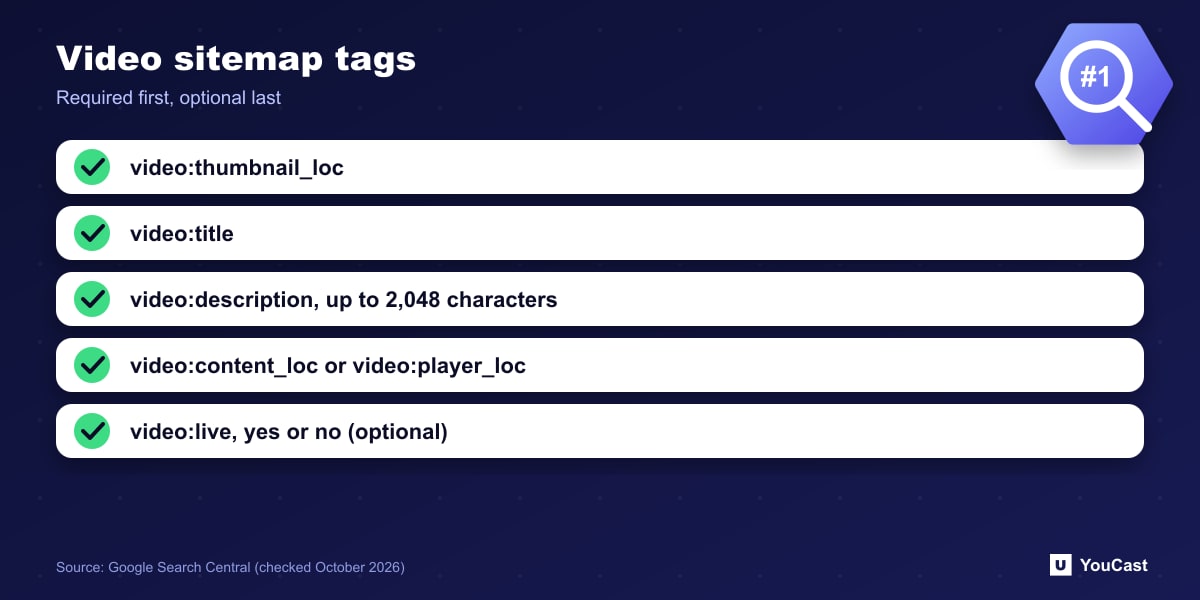
- <video:thumbnail_loc>: the URL of the thumbnail image.
- <video:title>: ideally matching the title on the page; escape HTML entities.
- <video:description>: maximum 2,048 characters, matching the page description though not word for word.
- Either <video:content_loc> (the media file; recommended) or <video:player_loc> (the player URL, as for YouTube embeds). It must differ from the page <loc>.
The video:live Tag
The optional <video:live> tag tells Google whether the video is a livestream: yes means it is, no means it is not. Other optional tags include duration, publication_date, expiration_date, family_friendly, restriction, platform, requires_subscription and uploader, and up to 32 <video:tag> elements per video.
Several older tags were removed from the documentation, including category and gallery_loc.
Rules That Keep It Valid
- Do not list videos unrelated to the host page's content.
- All URLs must be accessible to Googlebot: not blocked by robots.txt, no login, no firewall block.
- Supported protocols are HTTP and FTP, and streaming protocols are not supported.
- To keep spammers away from content URLs, verify that bots are really Googlebot.
Put This Into Practice With YouCast
YouCast turns the videos you upload into a 24/7 live stream that runs from the cloud, to YouTube and, with a stream key, to Twitch, Kick and Instagram, so there is no encoder to configure, no computer to keep awake and no home upload line to saturate.
If your YouCast stream is embedded on your site, a video sitemap entry with video:live helps Google understand the page. Use the player URL of the YouTube embed.
You can try one stream on the free trial and add more streams as the channel grows.
Sources
- Google Search Central: Video sitemaps and examples — checked October 2026
Further reading
- Google Search Central: Video SEO best practices — Getting videos indexed
- Google Search Central: How to write meta descriptions — Snippets and descriptions
- Google Search Central: Influencing title links in Google Search — Titles that get shown
- Google Search Central: Creating helpful, reliable, people-first content — What Google rewards
Start Your 24/7 Stream Today
No PC needed. No OBS. Just upload your video and go live on YouTube — 24/7, from the cloud.