Recommended Specs
YouTube says your thumbnail should be as large as possible because it is also the preview image in the embedded player. Its recommendations:
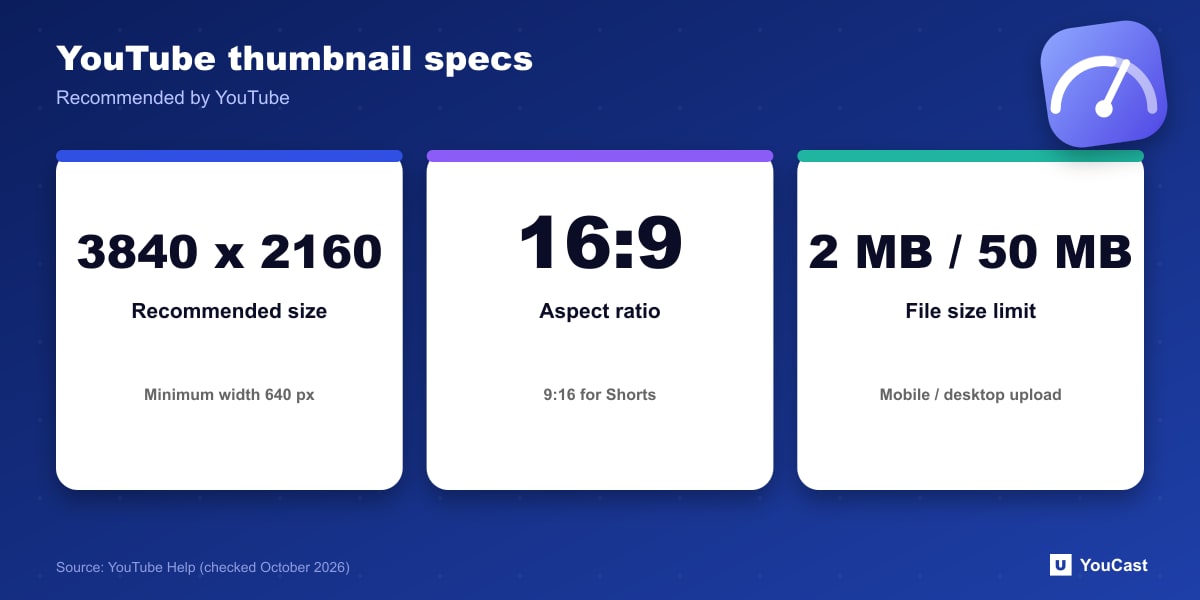
- Resolution 3840 x 2160 px for videos (2160 x 3840 for Shorts), with a minimum width of 640 px for videos.
- JPG or PNG format.
- Aspect ratio 16:9 for videos, 9:16 for Shorts and 1:1 for podcast playlists.
- File size limits: mobile 2 MB for video thumbnails, desktop 50 MB for video, Shorts and podcast thumbnails.
Verification and Vertical Notes
You can choose auto-generated suggestions or upload your own thumbnail if your account is verified. Vertical videos with 16:9 custom thumbnails are replaced by an auto-generated 4:5 thumbnail on the home, explore and subscription pages, while your custom thumbnail still appears in the watch feed, history and non-mobile platforms.
Thumbnail Policies and Limits
- Thumbnails must follow the Community Guidelines. They may be rejected, and a strike issued, for nudity or sexually provocative content, hate speech, violence or harmful content.
- Repeat offenses can remove custom thumbnail privileges for 30 days or lead to account termination.
- There is a daily limit on custom thumbnails per channel. If you see Daily custom thumbnail limit reached, try again in 24 hours.
- Limits vary by country or channel history, and strikes affect how many you can upload.
For Live Streams
YouTube's page covers videos and Shorts in general, and the same Community Guidelines apply to every custom thumbnail. Our suggestion for streams: keep the main text inside the center of a 16:9 frame, since YouTube says the thumbnail is also used as the preview in the embedded player and vertical videos get a 4:5 crop in some feeds.
Put This Into Practice With YouCast
YouCast turns the videos you upload into a 24/7 live stream that runs from the cloud, to YouTube and, with a stream key, to Twitch, Kick and Instagram, so there is no encoder to configure, no computer to keep awake and no home upload line to saturate.
You can set the thumbnail when you create a stream in YouCast. Use a 16:9 image above the minimum width and keep the main text in the center.
You can try one stream on the free trial and add more streams as the channel grows.
Sources
- YouTube Help: Add custom thumbnails on YouTube — checked October 2026
Further reading
- Google Search Central: Video SEO best practices — Getting videos indexed
- Google Search Central: How to write meta descriptions — Snippets and descriptions
- Google Search Central: Influencing title links in Google Search — Titles that get shown
- Google Search Central: Creating helpful, reliable, people-first content — What Google rewards
Start Your 24/7 Stream Today
No PC needed. No OBS. Just upload your video and go live on YouTube — 24/7, from the cloud.