Payout Cadence
KICK pays on a schedule that depends on verification. Verified streamers can choose weekly or monthly payouts, and non-verified streamers receive monthly payouts only. A cadence change must be discussed with the support team.
The first payout is processed once Stripe verification is complete and the next monthly payout cycle ends, which KICK says can be up to 30 days after the end of the month. It does not offer early or on-demand payouts.
How Long Delivery Takes
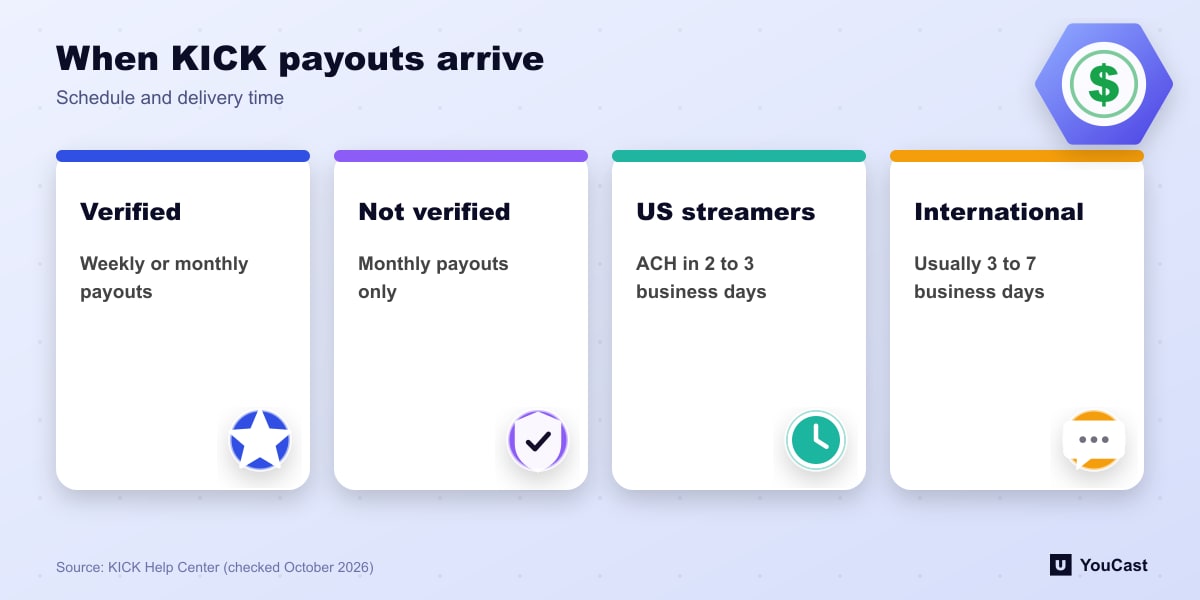
- US streamers: ACH bank transfer in 2 to 3 business days, or an instant payout debit card in minutes with a $9,000 cap per payout.
- International streamers: usually 3 to 7 business days, since deposits start from KICK's US-based Stripe account.
Methods and Requirements
All streamer payouts go through Stripe. You need to complete Stripe identity verification, add a valid bank account in a supported country and confirm your payout currency. PayPal is only a payment option for subscribers.
KICK says Stripe does not support payouts to every country. If Stripe is not available where you live, you cannot receive payouts for now.
Delays, Currency and Fees
- Typical delay reasons: wrong or closed bank details, a compliance review hold (you are emailed) and weekends or bank holidays.
- Earnings are tracked in USD. Stripe converts to your bank currency, and KICK says it absorbs the 1.50% conversion fee.
- A suspended Stripe account pauses payouts until it is resolved with Stripe.
Where YouCast Fits in a Revenue Plan
YouCast turns the videos you upload into a 24/7 live stream that runs from the cloud, to YouTube and, with a stream key, to Twitch, Kick and Instagram, so there is no encoder to configure, no computer to keep awake and no home upload line to saturate.
Payout rules differ by platform, and YouCast has no say in them. It keeps your stream running on Kick, Twitch or YouTube, and each platform pays out under its own rules.
You can try one stream on the free trial and add more streams as the channel grows.
Sources
- KICK Help Center: KICK payout schedule, thresholds, and methods — checked October 2026
Further reading
- KICK Help Center: How to stream on KICK.com — Setup and encoder settings
- KICK Help Center: Understanding KICK's revenue split — The 95/5 split
Start Your 24/7 Stream Today
No PC needed. No OBS. Just upload your video and go live on YouTube — 24/7, from the cloud.