Two Different Gates
KICK's help center describes two related steps, and their names overlap. The first, a KICK Partner, is a streamer who reached the requirements to enable subscriptions: according to the page, streaming at least 5 total hours, counted cumulatively across several days. The Enable Subscriptions button then becomes available in the Streamer Dashboard.
The second, the KICK Partner Program, is described as letting creators earn revenue per stream, and you apply after your channel is verified. Our reading: the first unlocks subscriptions, the second is an invitation-style program on top of it.
Partner Program Metrics
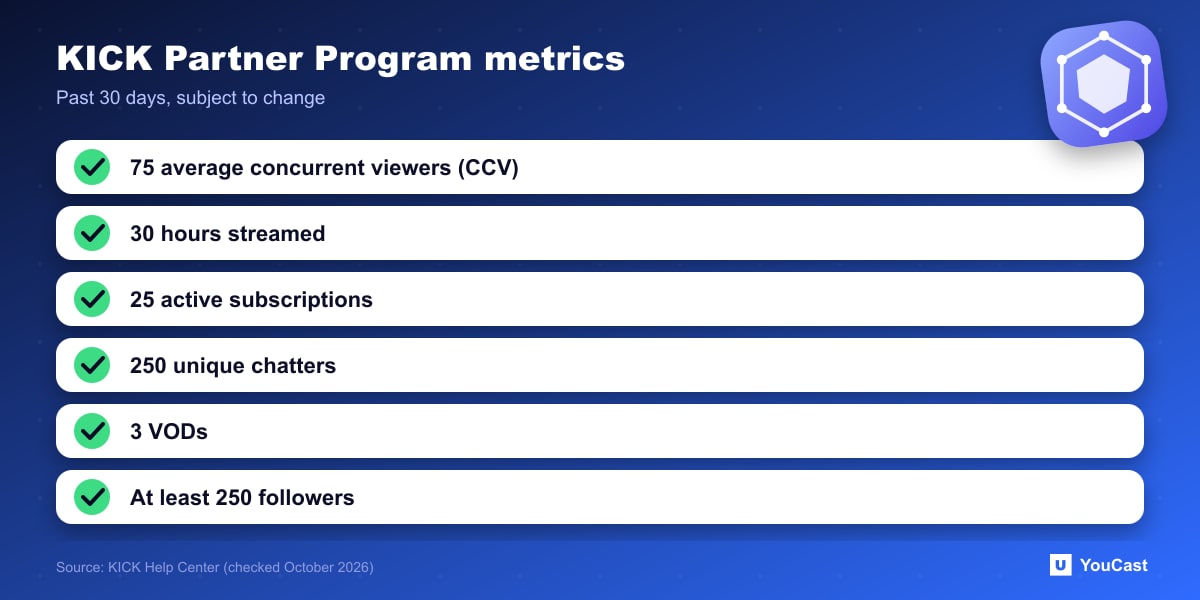
KICK says the program is in its early stages and the metrics may change. It currently looks for:
- A verified channel that follows the Terms of Service, Community Guidelines, DMCA Policy and program terms.
- Relevant social links and a completed About section on the channel.
- An average of at least 75 CCV (concurrent viewers) in the past 30 days.
- 30 hours streamed, 25 active subscriptions, 250 unique chatters and 3 VODs in the past 30 days.
- At least 250 followers.
How to Apply, and Fast Track
You track progress in the Achievements section of your dashboard. If you meet the numbers, you email KICK from the address on your account with your username. KICK states that meeting the requirements does not guarantee entry, it makes you eligible to apply.
Fast Track is for creators with an established following elsewhere. It skips the standard streaming requirements, you do not need to already stream on KICK, and KICK says the partnerships team reviews every submission within 24 hours. Applications go through the form at streamer.kick.com/partner.
How It Compares
For the equivalent thresholds on other platforms, see our Twitch Affiliate and YouTube Partner Program guides. Thresholds on KICK are explicitly subject to change, so check the current help page before you plan around them.
Where YouCast Fits in a Revenue Plan
YouCast turns the videos you upload into a 24/7 live stream that runs from the cloud, to YouTube and, with a stream key, to Twitch, Kick and Instagram, so there is no encoder to configure, no computer to keep awake and no home upload line to saturate.
A YouCast stream on Kick, started with your Kick stream key, keeps adding streamed hours while you are away. The viewer, chatter and subscriber numbers still come from the content, titles and community.
You can try one stream on the free trial and add more streams as the channel grows.
Sources
- KICK Help Center: How to become a KICK Partner and how KICK streaming works — checked October 2026
- KICK Help Center: How to join the KICK partner program — checked October 2026
Further reading
- KICK Help Center: How to stream on KICK.com — Setup and encoder settings
- KICK Help Center: Understanding KICK's revenue split — The 95/5 split
- KICK Help Center: KICK payout schedule, thresholds, and methods — How payouts work
Start Your 24/7 Stream Today
No PC needed. No OBS. Just upload your video and go live on YouTube — 24/7, from the cloud.