What the 95/5 Split Means
KICK says you keep 95% of the revenue you receive and the other 5% is taken as a processing fee. It applies this to two streams: subscription revenue and KICKs revenue, the platform's tipping currency, where viewers send KICKs during your stream.
The Subscription Math
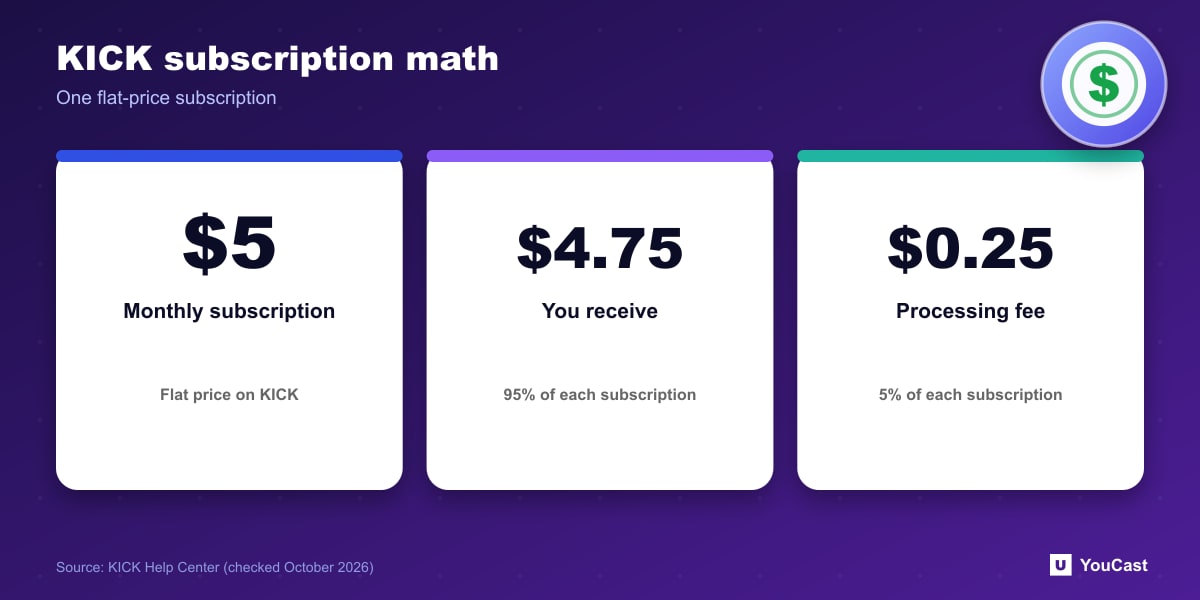
KICK subscriptions are a flat $5 per month. For each subscriber you receive $4.75 (95%) and the processing fee is $0.25 (5%). Our arithmetic from that: 100 subscribers would be $475 a month before any taxes. KICKs follow the same 95% rule on the value viewers send.
Compare that with YouTube, where our Super Chat guide covers a 70% creator share, and Twitch, covered in our monetization comparison. Shares are only one part of the picture, since thresholds and audience size differ a lot.
Bounties and Who Can Earn
Bounties are short-form video opportunities where KICK or brand partners pay streamers for clips. The reward varies by campaign and is stated in each Bounty post.
KICK says you need to be a KICK Affiliate or Partner to earn from subscriptions and other monetization tools. Earnings appear in your Streamer Dashboard under Revenue or Earnings, including subscription revenue, KICKs, Bounties and your next payout amount.
Taxes
KICK says earnings are income and you are responsible for reporting and paying the taxes in your country. For US-based streamers it provides 1099 forms when applicable. It also states plainly that it is not a tax advisor, so talk to a qualified professional.
Where YouCast Fits in a Revenue Plan
YouCast turns the videos you upload into a 24/7 live stream that runs from the cloud, to YouTube and, with a stream key, to Twitch, Kick and Instagram, so there is no encoder to configure, no computer to keep awake and no home upload line to saturate.
Revenue share is one part of the picture. With YouCast you can run a 24/7 stream on Kick through a stream key, and compare it with the same stream on YouTube or Twitch before you decide where to put your effort.
You can try one stream on the free trial and add more streams as the channel grows.
Sources
- KICK Help Center: Understanding KICK's revenue split — checked October 2026
Further reading
- KICK Help Center: How to stream on KICK.com — Setup and encoder settings
- KICK Help Center: KICK payout schedule, thresholds, and methods — How payouts work
Start Your 24/7 Stream Today
No PC needed. No OBS. Just upload your video and go live on YouTube — 24/7, from the cloud.