The Rule in Short
YouTube encourages the innovative and responsible use of editing and generation tools, and says viewers want to know if what they are watching is real. It therefore requires creators to disclose when they use AI to meaningfully alter or generate photorealistic content.
Realistic AI content and meaningful changes require disclosure. Non-realistic content and minor edits do not.
What Must Be Disclosed
YouTube lists content that makes a real person appear to say or do something they did not do, alters footage of a real event or place, generates a realistic scene that did not actually occur, or creates music that is the main focus of the video. It can be fully or partially altered or created with AI tools.
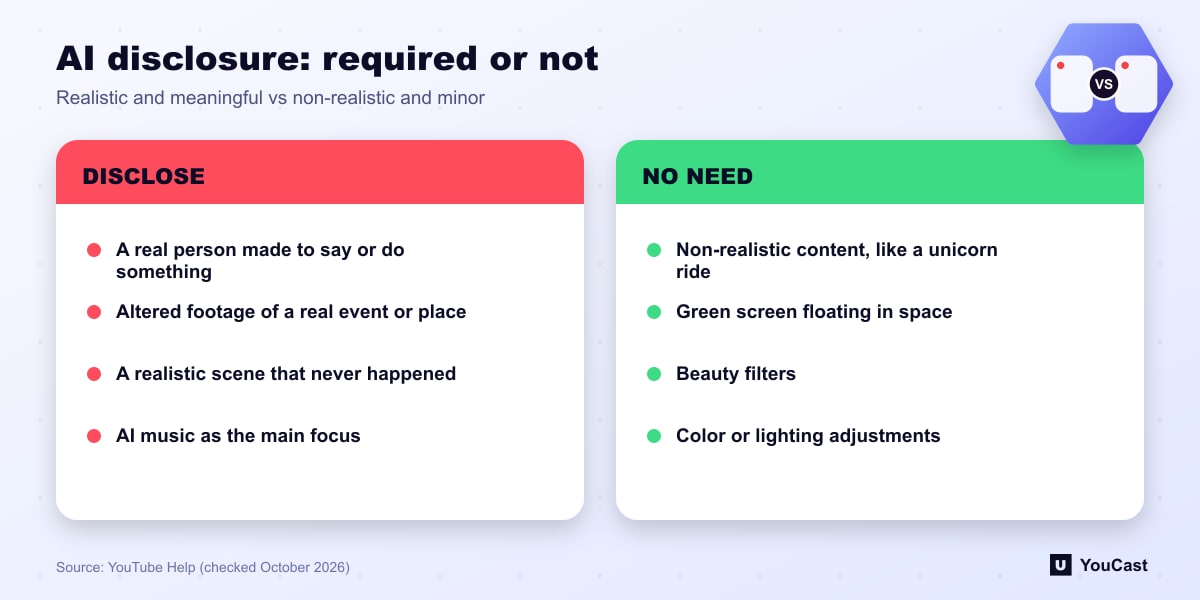
- A real person made to say or do something they did not.
- Altered footage of a real event or place.
- A realistic scene that never happened.
- AI-made music that is the main focus of the video.
What You Do Not Need to Disclose
Creators do not need to disclose non-realistic content made with AI, or minor edits to realistic content. Minor edits are those that are primarily aesthetic and do not alter the content in a way that could mislead the viewer. YouTube's examples include a unicorn ride through a fantastical world, a green screen used to depict someone floating in space, beauty filters, and color adjustment or lighting filters.
How the Label Works
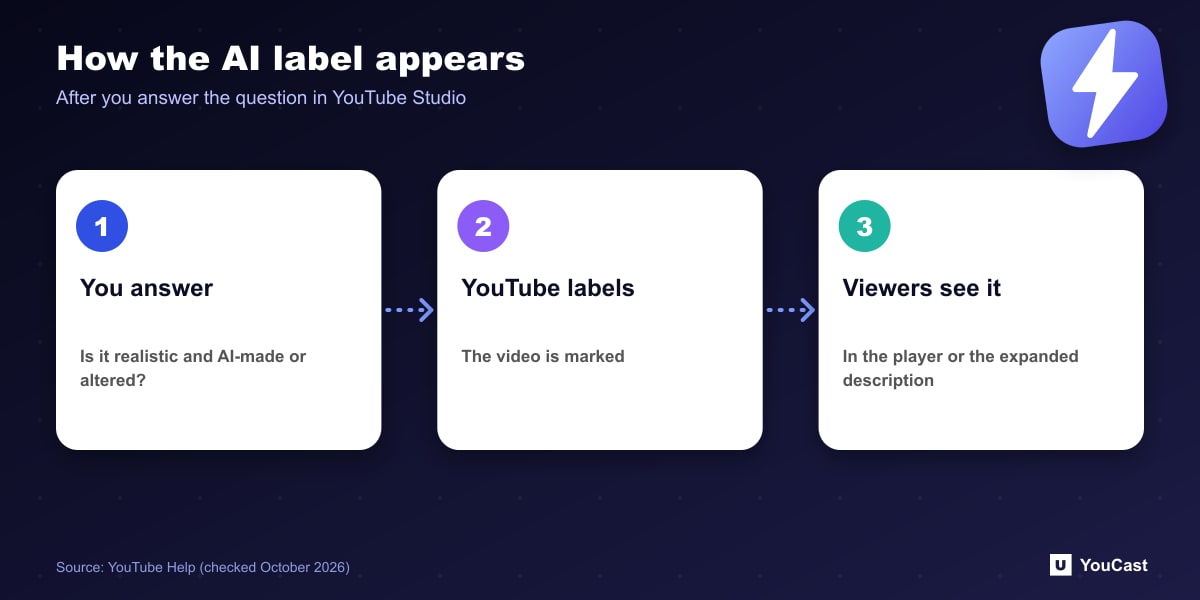
In YouTube Studio the creator answers a question in the video details about whether the content is realistic and made or meaningfully altered with AI. If yes, YouTube adds a label. For photorealistic AI content a label may also appear in the video player. For non-photorealistic or animated AI content it may appear in the expanded description.
This article summarizes the policy and is not legal advice. For music streams in particular, note that "music that is the main focus of the video" is one of the listed categories.
Keeping a YouCast Stream Compliant
YouCast turns the videos you upload into a 24/7 live stream that runs from the cloud, to YouTube and, with a stream key, to Twitch, Kick and Instagram, so there is no encoder to configure, no computer to keep awake and no home upload line to saturate.
If your videos include realistic AI-generated or altered content, the disclosure is set in YouTube Studio for the stream. YouCast streams what you upload, so check each video against the rules above.
You can try one stream on the free trial and add more streams as the channel grows.
Sources
- YouTube Help: Disclosing use of GenAI content — checked October 2026
Further reading
- YouTube Help: Get started with live streaming — Official overview of live streaming on YouTube
- YouTube Help: Choose live encoder settings, bitrates, and resolutions — The ingestion settings table
- YouTube Help: YouTube Partner Program overview & eligibility — Thresholds and benefits
- YouTube Help: YouTube channel monetization policies — What reviewers check
Start Your 24/7 Stream Today
No PC needed. No OBS. Just upload your video and go live on YouTube — 24/7, from the cloud.