The Short Answer
YouTube's monetization policies reward original and authentic content. Content that is repetitive or mass-produced is not eligible to earn through the YouTube Partner Program. YouTube calls this the inauthentic content policy, and it applies to live streams as well as uploaded videos.
The policy page does not contain a dedicated section about 24/7 or looped live streams. So a 24/7 channel is judged by the same criteria as any other channel: is the content original, varied and valuable to viewers.
This article summarizes what the policy says and offers a practical checklist. It is not legal advice, and YouTube alone decides eligibility.
This policy is about monetization, meaning whether a channel can earn through the Partner Program. It is separate from copyright claims and from Community Guidelines, which have their own rules.
What the Inauthentic Content Policy Says
On July 15, 2025, YouTube renamed its "repetitious content" policy to "inauthentic content" to make clear that it covers content that is repetitive or mass-produced. YouTube states that this type of content has always been ineligible for monetization.
YouTube lists examples of content that does not qualify:
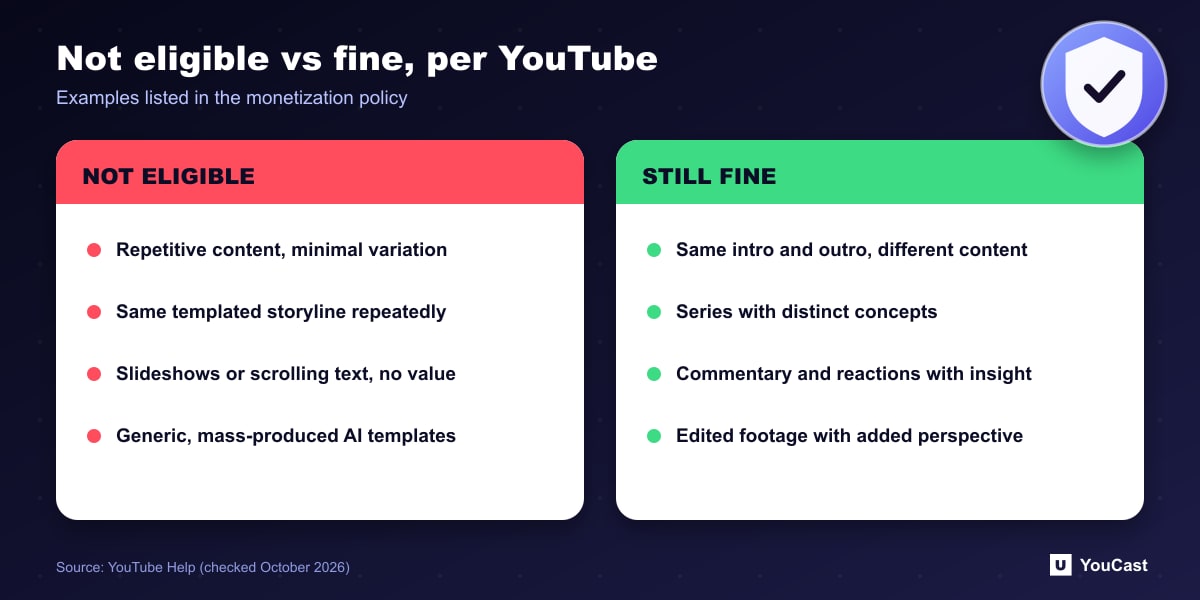
- Similar or repetitive content with low educational value, commentary or narrative, or minimal variation between videos.
- Videos where characters are placed in the same situation repeatedly with the same outcome, using a templated storyline.
- Image slideshows, templated storylines or scrolling text with minimal or no narrative, commentary or educational value.
- AI-generated content made with generic or unoriginal templates that gives the impression of mass production.
The policy also says what remains fine: using the same intro and outro across videos while the bulk of the content differs, series with distinct storylines, focus or concepts even when they follow a pattern, and commentary, reactions or edited footage that add a real perspective.
Does It Apply to Live Streams and 24/7 Channels?
Yes. The monetization policies page explains that whenever it says "video", it means Shorts, long-form videos and live streaming. A live stream is therefore held to the same standard as an upload.
What the page does not do is single out looped or pre-recorded streams, either to allow or to restrict them. Any statement that "24/7 streams are banned" or "24/7 streams are always safe" goes further than the policy text. The reliable approach is to look at your own channel against the criteria above.
Reused Content: A Separate Test
YouTube defines reused content as content from channels that repurpose content already on YouTube or another online source without adding significant original commentary, substantive modifications, or educational or entertainment value.
Two details matter. First, the policy applies even if you have permission from the original creator. Second, reused content is a separate matter from copyright enforcement, so having the rights does not by itself settle the monetization question.
For a 24/7 channel this means the source of your videos matters. A stream made of videos you produced yourself sits in a different position from a stream that simply re-broadcasts other people's videos.
A Practical Checklist for Your 24/7 Channel
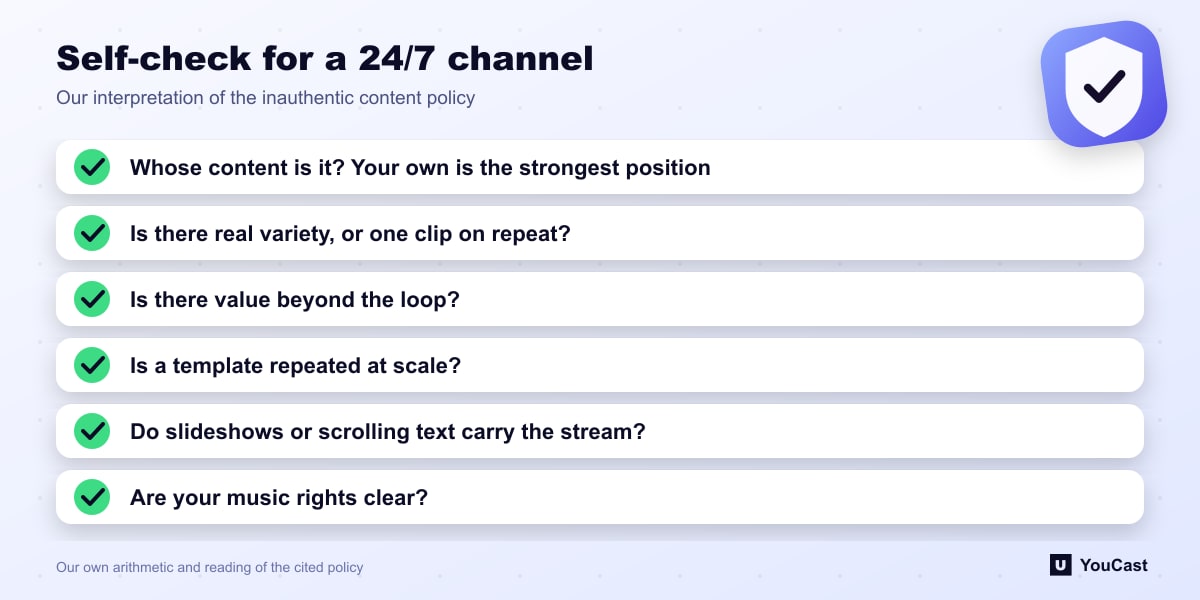
The policy is written in broad terms, so the checklist below is our interpretation of it, not wording from YouTube. Use it to spot weak points before YouTube does.
Having the same intro and outro is explicitly fine. The question is whether the bulk of the content differs and offers viewers something.
- Whose content is it? Streams of your own original videos are the strongest position. Re-broadcasting other creators' videos needs substantial added value.
- Is there real variety? One short clip looped for weeks looks like "minimal variation". A playlist of different videos looks like a programme.
- Is there value beyond the loop? Commentary, narrative, music curation, teaching or a clear point of view is what the policy says it rewards.
- Is it a template at scale? Many near-identical channels or videos built from one template are the pattern the policy describes.
- Are slideshows or scrolling text carrying the whole stream? The policy names these when they have no narrative, commentary or educational value.
- Are your music rights clear? Copyright is a separate system, but a claim on a stream can still interrupt it.
What Happens If YouTube Finds a Problem
According to the policy, a violation can lead to YouTube temporarily turning off monetization or terminating accounts, and this can affect all existing and future channels linked to the creator.
If you receive a notice, follow the instructions in your YouTube Studio monetization status rather than guessing. The policy page does not describe an appeal process in the sections we reviewed, so rely on the guidance YouTube gives you directly.
Where YouCast Fits In
YouCast streams the videos you upload to your own YouTube channel from the cloud. It does not create content for you, and responsibility for what you stream, including its originality and rights, stays with the channel owner.
What a platform can do is make the good practices easier: a playlist of several videos instead of one looping file, an auto-restart schedule so the stream stays online, and no PC left running. The originality, the variety and the value are still yours to provide, and we cannot promise monetization approval.
Keeping a YouCast Stream Compliant
YouCast turns the videos you upload into a 24/7 live stream that runs from the cloud, to YouTube and, with a stream key, to Twitch, Kick and Instagram, so there is no encoder to configure, no computer to keep awake and no home upload line to saturate.
YouCast streams the videos you upload, so the policy question is about your content, not the tool. Build the playlist from original or licensed material, keep it varied and run the checklist above before you go live.
You can try one stream on the free trial and add more streams as the channel grows.
Sources
- YouTube Help: YouTube channel monetization policies — primary source for all policy wording in this article; last updated by YouTube on July 15, 2025 at the time we checked
Further reading
- YouTube Help: Get started with live streaming — Official overview of live streaming on YouTube
- YouTube Help: Choose live encoder settings, bitrates, and resolutions — The ingestion settings table
- YouTube Help: YouTube Partner Program overview & eligibility — Thresholds and benefits
- YouTube Help: YouTube channel monetization policies — What reviewers check
Start Your 24/7 Stream Today
No PC needed. No OBS. Just upload your video and go live on YouTube — 24/7, from the cloud.