The First Step Is Usually a Warning
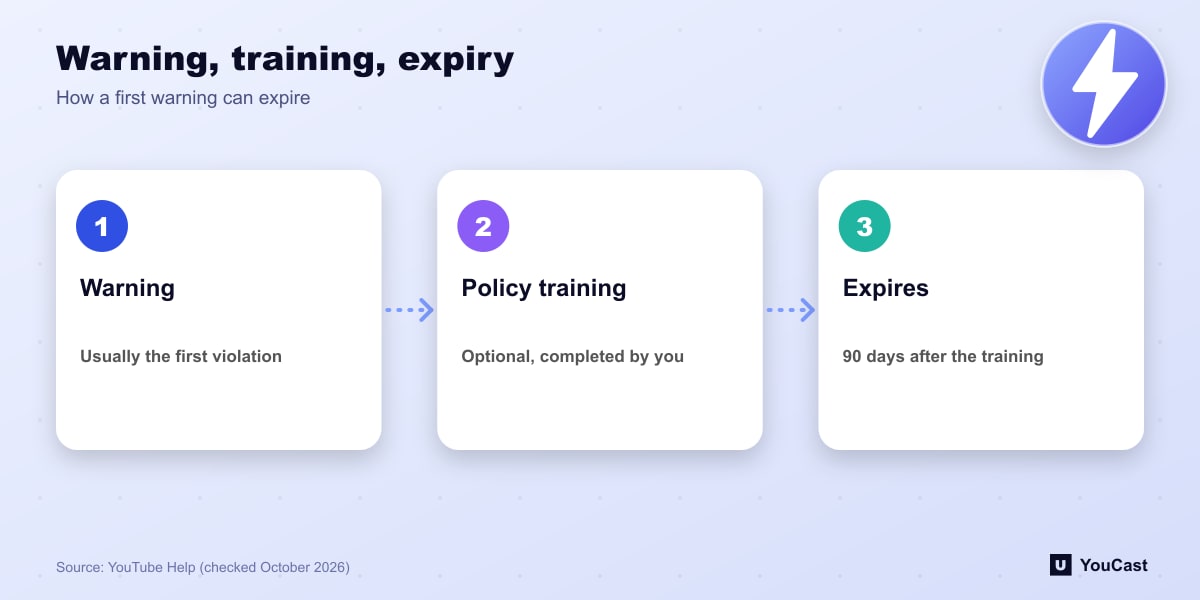
YouTube says the first violation is typically only a warning. You can take an optional policy training, and if you complete it the warning expires after 90 days. The 90-day period starts from when the training is completed, not when the warning was issued.
If the same policy is violated within that window, the warning may not expire and the channel may be given a strike. A violation of a different policy after training results in another warning. A single case of severe abuse can lead to termination without warning.
What Each Strike Blocks
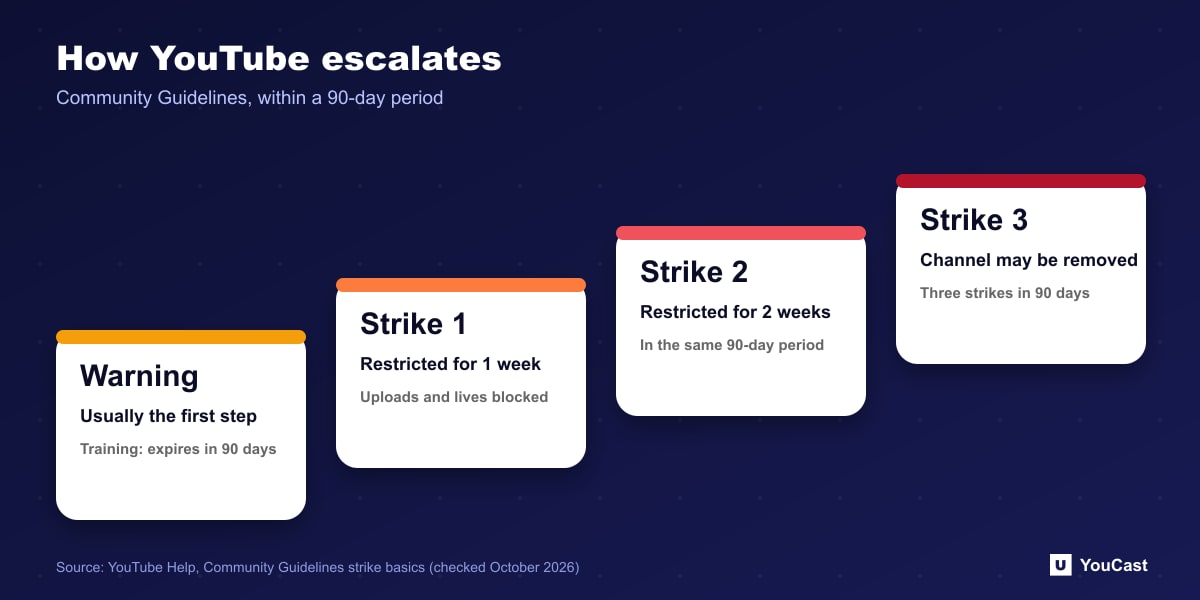
- First strike: for 1 week you cannot upload videos or live streams, start a scheduled live stream, create a Premiere, or create custom thumbnails or posts, among other actions.
- Second strike within the same 90-day period: you cannot post content for 2 weeks.
- Third strike within the same 90-day period: the channel may be permanently removed from YouTube.
- Each strike does not expire until 90 days after it was issued, and deleting content does not remove a strike.
The Live-Specific Rule
The live streaming page adds a rule of its own: if a live stream is restricted you may get a strike, and a strike prevents you from live streaming for 14 days. If you are restricted from live streaming, you may not use another channel to stream, and doing so may be treated as circumvention.
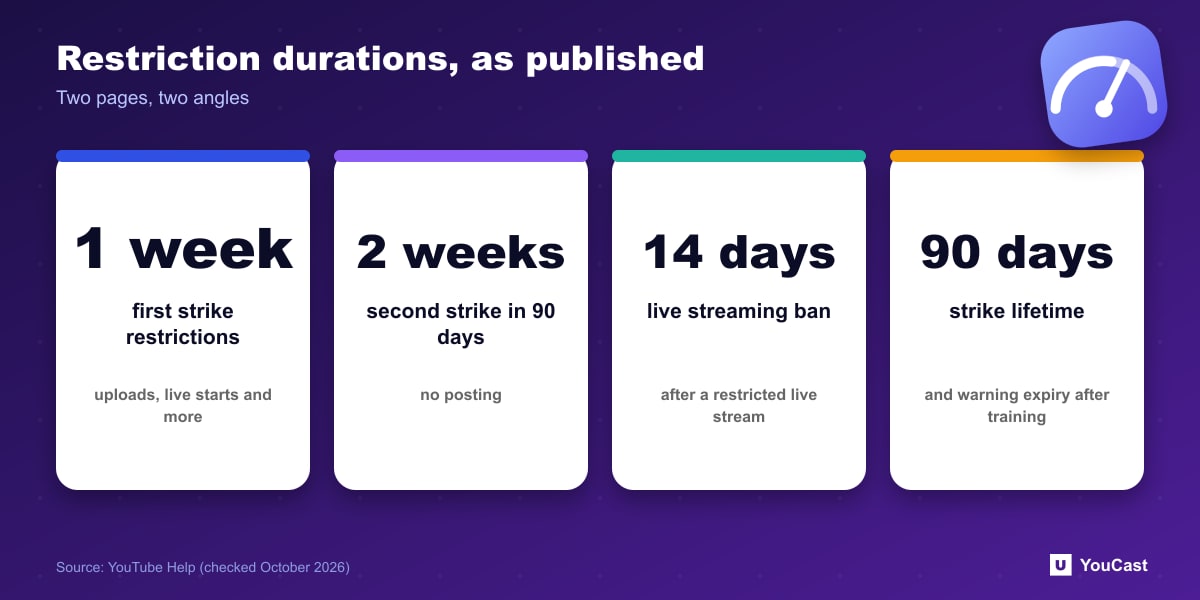
The two pages describe the restrictions from different angles, 1 week for the general strike and 14 days for live streaming. We report both as published and do not try to reconcile them. Check your own notice in YouTube Studio for the exact terms that apply to you.
Protecting a 24/7 Channel
A stream that runs unattended can break a rule while nobody is watching. Review the content that goes into the playlist for copyright and policy problems before it goes live, and use the appeal process if you believe a decision was wrong.
Keeping a YouCast Stream Compliant
YouCast turns the videos you upload into a 24/7 live stream that runs from the cloud, to YouTube and, with a stream key, to Twitch, Kick and Instagram, so there is no encoder to configure, no computer to keep awake and no home upload line to saturate.
An unattended stream can break a rule while nobody is watching. Review every video in the YouCast playlist for copyright and policy problems before it goes live, and remove anything doubtful.
You can try one stream on the free trial and add more streams as the channel grows.
Sources
- YouTube Help: Community Guidelines strike basics — checked October 2026
- YouTube Help: Get started with live streaming — checked October 2026
Further reading
- YouTube Help: Choose live encoder settings, bitrates, and resolutions — The ingestion settings table
- YouTube Help: YouTube Partner Program overview & eligibility — Thresholds and benefits
- YouTube Help: YouTube channel monetization policies — What reviewers check
- YouTube Help: Advertiser-friendly content guidelines — What can earn ad revenue
Start Your 24/7 Stream Today
No PC needed. No OBS. Just upload your video and go live on YouTube — 24/7, from the cloud.