What Counts as Reused Content
YouTube defines reused content as channels that repurpose content already on YouTube or another online source without adding significant original commentary, substantive modifications, or educational or entertainment value. It may also be called duplicative or scraped content.
The policy applies to the channel as a whole. If videos violate it, or YouTube cannot clearly tell you made the content, monetization may be removed from the entire channel. It applies even if you have permission from the original creator, and it is separate from copyright, permission and fair use.
Examples YouTube Says Are Allowed
- Clips used for a critical review.
- A movie scene with rewritten dialog and changed voiceover.
- Replays of a sports tournament where you explain the moves.
- Reaction videos with your commentary.
- Content that primarily features the uploading creator.
- Edited footage with audio and visual effects that shows substantive editing unique to your channel.
Examples YouTube Says Are Not Allowed
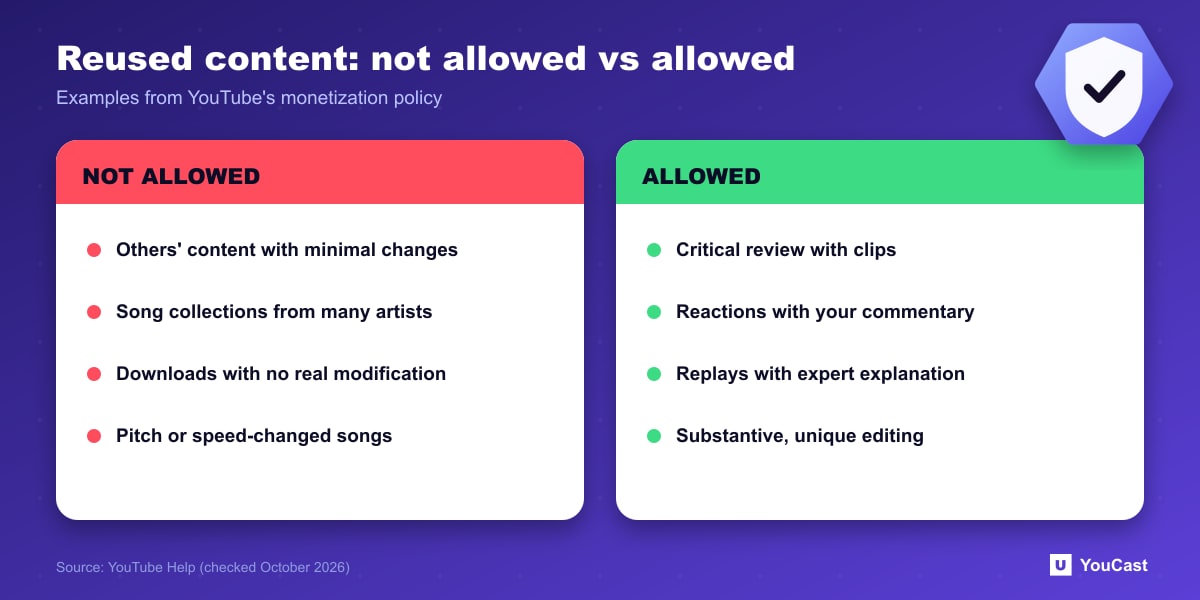
- Someone else's content with minimal changes, even with their permission.
- Collections of songs from different artists, even with permission.
- Content downloaded or copied from another source without substantive modifications.
- Content uploaded many times by other creators.
- Songs modified for pitch or speed but otherwise identical to the original.
- Content that only reads other materials aloud, such as website text or news feeds.
What This Means for Always-On Streams
Our reading, not a YouTube statement: a 24/7 channel that streams footage or music you created or hold rights to, and is clearly yours, sits on the safe side of this list. Risk rises when the loop is made of other people's uploads, song compilations without your own contribution, or material you cannot show you produced.
For the related template and mass-production rule, see our guide to the inauthentic content policy.
Keeping a YouCast Stream Compliant
YouCast turns the videos you upload into a 24/7 live stream that runs from the cloud, to YouTube and, with a stream key, to Twitch, Kick and Instagram, so there is no encoder to configure, no computer to keep awake and no home upload line to saturate.
YouCast streams the videos you upload, so keep the playlist original or properly licensed, and vary it. A loop of other people's uploads is the risk this policy describes.
You can try one stream on the free trial and add more streams as the channel grows.
Sources
- YouTube Help: YouTube channel monetization policies — checked October 2026
Further reading
- YouTube Help: Get started with live streaming — Official overview of live streaming on YouTube
- YouTube Help: Choose live encoder settings, bitrates, and resolutions — The ingestion settings table
- YouTube Help: YouTube Partner Program overview & eligibility — Thresholds and benefits
- YouTube Help: Advertiser-friendly content guidelines — What can earn ad revenue
Start Your 24/7 Stream Today
No PC needed. No OBS. Just upload your video and go live on YouTube — 24/7, from the cloud.