Why One Looping Video Isn't Enough for a 24/7 YouTube Live Stream
Most creators launch their first 24/7 YouTube live stream with a single video on loop. It works — for a while. But a viewer who checks back in an hour later, or leaves the stream running in a background tab, will eventually notice the same footage repeating on a fixed cycle. That's the moment a live stream starts to feel less like a broadcast and more like a video stuck on replay.
A video playlist solves this by queuing multiple videos to play in sequence, looping back to the first once the last one ends. Instead of one file repeating every few minutes, your 24/7 stream cycles through your entire library — more variety for returning viewers, and a broadcast that holds up under longer, uninterrupted watch sessions.
Session length and returning-viewer behavior are both signals YouTube's live algorithm tracks. A stream that feels repetitive on a second or third visit works against the exact metrics a 24/7 channel depends on.
5 Ways a Video Playlist Improves Your 24/7 YouTube Stream
Queuing multiple videos into one continuous live stream is not just about avoiding repetition — it changes how the stream performs. Here's what a playlist gives you that a single looping video can't:
This works across niches — a lofi or ambient channel benefits from mixing tracks and visuals, a gaming channel from rotating highlight reels, and a church or ministry channel from cycling sermons, worship sets, and devotionals instead of replaying one service on loop.
- Less repetition fatigue — viewers who check back in later, or leave the stream running for hours, hear and see something different each cycle instead of the same clip on a short loop.
- Longer average watch sessions — variety within a single continuous broadcast keeps ambient, lofi, and study-with-me audiences on the stream longer than a five-minute loop typically holds attention.
- You reuse your whole video library — instead of picking one "hero" video to loop, every video you've uploaded can do work inside the same 24/7 stream.
- Weak videos get diluted, not exposed — if one video in your library underperforms on its own, it's one part of a longer rotation instead of the entire stream.
- More watch hours toward monetization — watch time from every video in the playlist counts toward YouTube Partner Program eligibility and ad revenue, so a well-built playlist turns your whole library into passive income instead of just your single best video.
How Long Should Your YouTube Live Stream Playlist Be?
There's no single correct length, but a good rule of thumb is to aim for at least an hour of combined runtime, and ideally three to five hours or more. The goal is simple: a viewer who leaves your stream open for an afternoon, or checks back the next day, shouldn't be able to tell the playlist has looped.
How many videos that takes depends on your niche. A lofi or sleep-music channel might reach several hours with just six or seven longer tracks; a gaming highlights or news-recap channel with shorter clips may need far more individual videos queued to hit the same combined runtime.
A playlist under 15–20 minutes total will noticeably repeat within a single viewing session. To a returning viewer, that reads as low-effort or automated — the opposite of what a 24/7 channel should signal.
Playlist Ordering Strategy: What to Put First, Middle, and Last
Order matters more than most creators expect. A viewer who clicks into your live stream for the first time judges it within seconds — whatever video happens to be playing at that moment is your first impression, whether it's your strongest content or not.
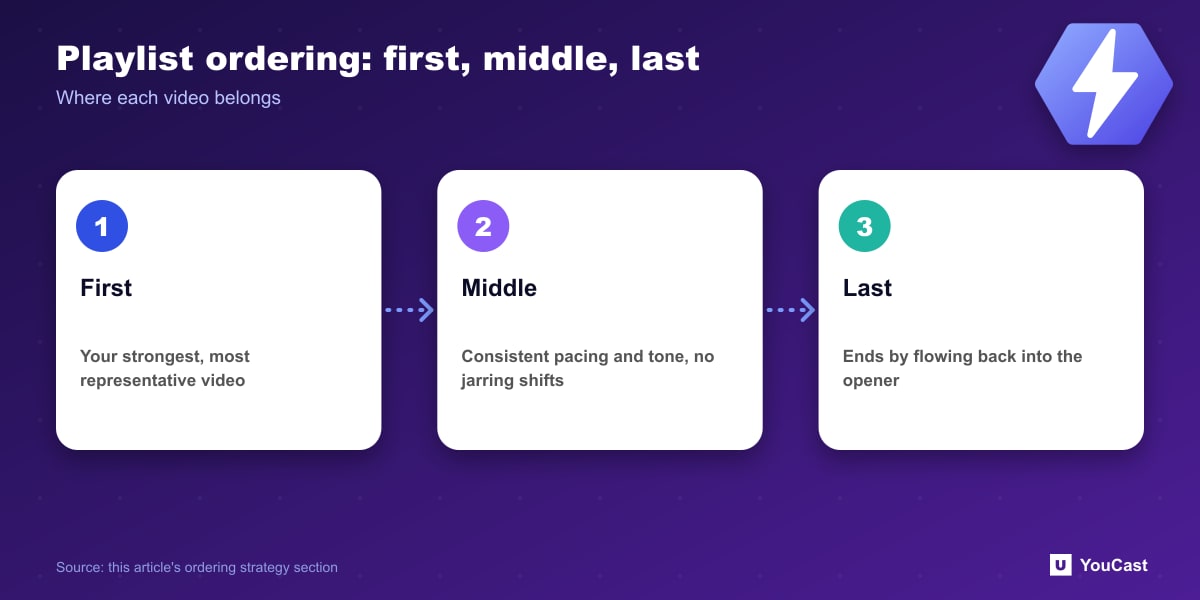
- Lead with your strongest, most representative video — it's the one new visitors are statistically most likely to land on first.
- Keep pacing and tone consistent in the middle of the playlist — jarring shifts between high-energy and slow content can prompt viewers to click away.
- End on a video that transitions naturally back into your opener, since that's the loop point every returning viewer eventually hits.
- Duplicate your strongest video into a second slot later in the playlist if you want new visitors to have a higher chance of landing on it, regardless of when they tune in.
Common Mistakes When Building a Streaming Playlist
A few recurring mistakes show up across 24/7 channels that switch from a single looping video to a full playlist. Here's what to avoid:
A copyright claim on one video in a playlist can affect the whole stream if YouTube mutes or interrupts playback — clear the rights on every video you queue, not just your main one.
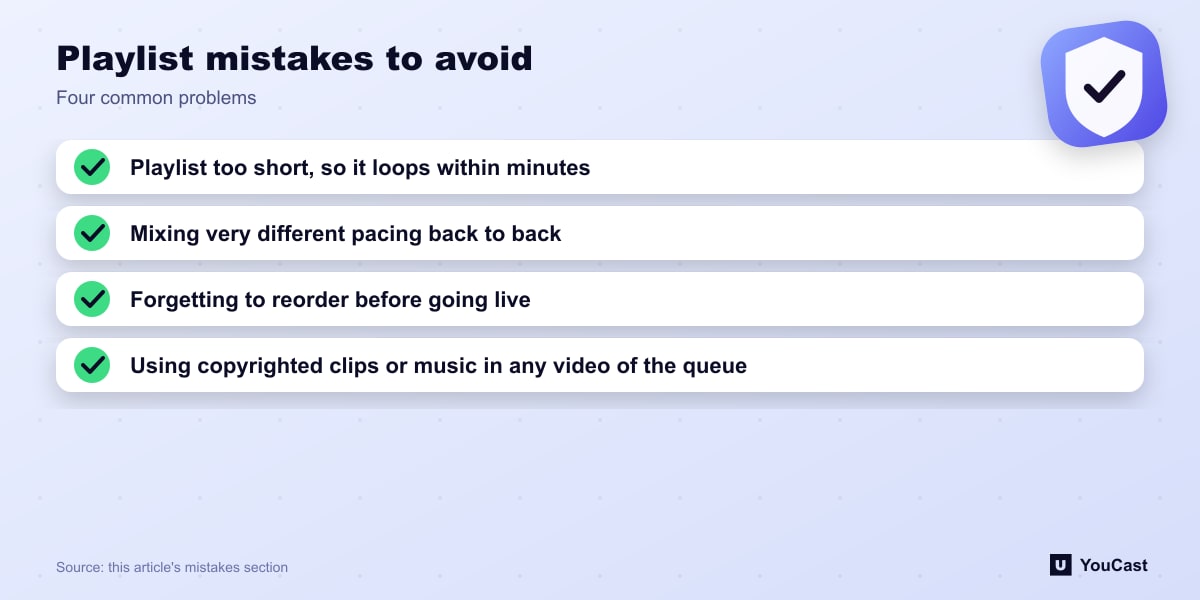
- Playlist too short — five or six short clips still loop within minutes; aim for the hour-plus runtime covered above.
- Mixing wildly different pacing or tone back to back — a slow ambient track followed by a high-energy clip breaks immersion for a viewer who's been listening for a while.
- Forgetting to reorder before going live — videos are added to the playlist in the order you select them, not automatically arranged by strength or pacing.
- Using copyrighted clips or music inside playlist videos — the same Content ID risk applies to every video in the queue, not just a single looping file.
Build It in YouCast
YouCast turns the videos you upload into a 24/7 live stream that runs from the cloud, to YouTube and, with a stream key, to Twitch, Kick and Instagram, so there is no encoder to configure, no computer to keep awake and no home upload line to saturate.
YouCast streams several videos in a row from one playlist. Add, reorder and duplicate videos, then let the cloud loop the list.
You can try one stream on the free trial and add more streams as the channel grows.
Further reading
- YouTube Help: Get started with live streaming — Official overview of live streaming on YouTube
- YouTube Help: Choose live encoder settings, bitrates, and resolutions — The ingestion settings table
- YouTube Help: YouTube Partner Program overview & eligibility — Thresholds and benefits
- YouTube Help: YouTube channel monetization policies — What reviewers check
Start Your 24/7 Stream Today
No PC needed. No OBS. Just upload your video and go live on YouTube — 24/7, from the cloud.