In short
KICK’s help center lists pre-recorded content, along with mirror streams and blank streams, among the things to avoid to get verified or keep Partner status. YouCast can send a recorded stream to Kick with a stream key, but that does not change how KICK treats the channel. The article also compares how Twitch differs.
What KICK's Page Says
The page lists grounds for refusing or revoking verification and Partner Program status. It tells streamers to do or avoid these things:
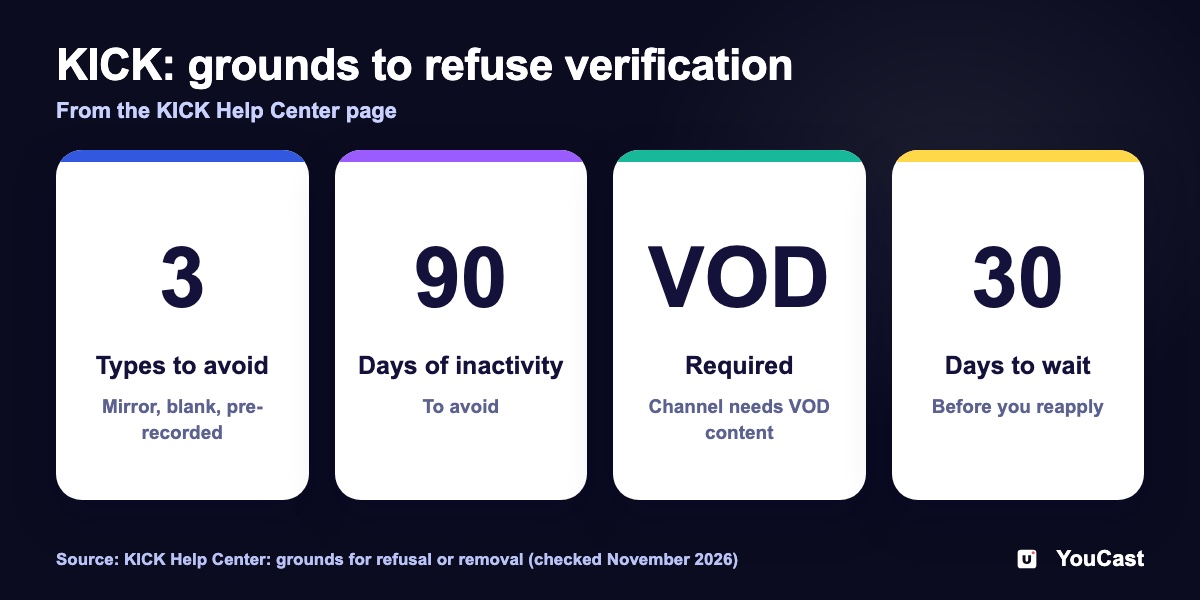
- Avoid mirror streams, blank streams, or pre-recorded content.
- Avoid 90 days of inactivity, and keep VOD content on the channel.
- Avoid repeated violations of the terms within 30 days and unauthorised use of copyrighted content.
- Do not manipulate statistics, for example by joining communities that inflate them or by subscribing to your own account.
After you meet the requirements, KICK says to wait 30 days before you reapply. If verification is revoked, you can appeal by email.
What the Page Does Not Say
The page is about verification and the Partner Program. It does not say that pre-recorded streams are banned from KICK, it does not mention reruns, and it does not say how strictly the rule is applied. In our reading, which is not a KICK statement, you can stream a recording, but KICK may refuse verification or Partner status to a channel that does so.
YouCast can send a recorded stream to Kick with a stream key. That does not change how KICK treats the channel for verification or Partner status.
How Twitch Differs
Twitch documents a way to show recorded material. Its on-demand content help page says to tick the Rerun box in Edit Stream Info and to start the stream title and the go-live notification with [Rerun]. Twitch warns that an unlabeled rerun can damage community trust.
What to Do
- 1Decide what you want from KICK: a channel that stays online, or Partner status and payouts.
- 2If you want Partner status, read the whole KICK page and the Partner requirements first.
- 3If you stream a recording, do not present it as live. Say so in the title or description.
- 4Check the KICK page again from time to time, because help articles change.
KICK Partner Program Requirements: 75 CCV, 30 Hours and Fast Track
The numbers KICK looks at.
KICK Multistreaming: The Toggle, /multi Commands and the 50% Pay Cut
The multistream rules.
Twitch Broadcast Settings: CBR, 6,000 kbps and the 48-Hour Limit
The Twitch settings.
Start Streaming with YouCast
Upload your videos once and stream them 24/7 from the cloud.
Frequently asked questions
Does KICK allow pre-recorded streams?
KICK’s help center lists pre-recorded content among the things to avoid to get verified or keep Partner status. The article explains what the page says and what it does not say.
Can YouCast send a stream to Kick?
Yes, with a stream key. That does not change how KICK treats the channel for verification or Partner status.
Is Twitch different?
The article has a section on how Twitch differs, based on Twitch’s own help pages.
Keeping a YouCast Stream Compliant
YouCast turns the videos you upload into a 24/7 live stream that runs from the cloud, to YouTube and, with a stream key, to Twitch, Kick and Instagram, so there is no encoder to configure, no computer to keep awake and no home upload line to saturate.
YouCast can send a pre-recorded stream to Kick with your stream key, but KICK's page means that such a channel may be refused verification or Partner status. Decide with that in mind.
You can try one stream on the free trial and add more streams as the channel grows.
Sources
- KICK Help Center: Grounds for verification and/or Kick Partner Program refusal/removal — checked November 2026
- Twitch Help: On-Demand Content on Twitch — checked November 2026
Further reading
- KICK Help Center: How to stream on KICK.com — Setup and encoder settings
- KICK Help Center: Understanding KICK's revenue split — The 95/5 split
- KICK Help Center: KICK payout schedule, thresholds, and methods — How payouts work
Start Your 24/7 Stream Today
No PC needed. No OBS. Just upload your video and go live on YouTube — 24/7, from the cloud.