What Dual Format Is
Twitch says dual format streaming is available to all streamers and sends two versions of your broadcast at once: a standard horizontal stream and a full-screen vertical one. Desktop and TV viewers get the horizontal stream. Mobile viewers see the vertical view when holding the phone upright and can rotate or tap to switch.
Partners and select Affiliates also get server-side transcode support, which Twitch says takes strain off your PC.
The OBS Setup
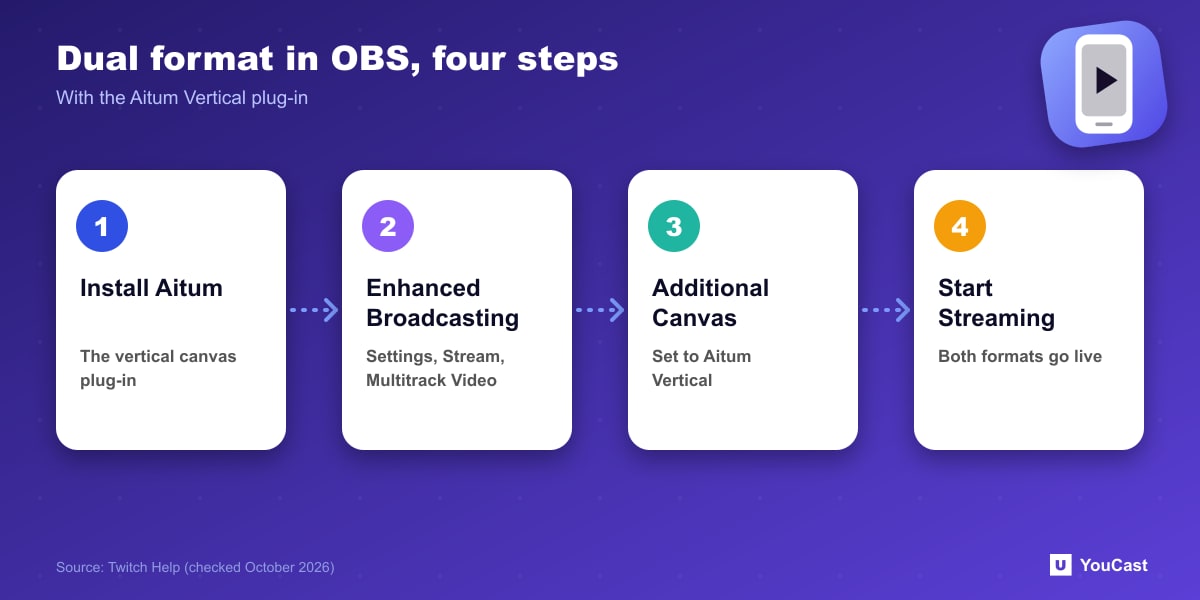
- 1Install the Aitum Vertical plug-in and open OBS.
- 2Go to Settings, then Stream, and check Enhanced Broadcasting under Multitrack Video.
- 3In the same window, set Additional Canvas to Aitum Vertical (restart OBS if it is missing).
- 4Create vertical scenes by adding your existing scenes, game capture, webcam and alerts, and link them to horizontal scenes.
- 5Press Start Streaming to go live in both formats, with no separate vertical Go Live button.
Canvas and Safe Zone
The vertical canvas is 1080 x 1920 (9:16). Twitch overlays chat and controls on the mobile view, so keep critical visuals such as the camera and game HUD in the center safe zone. Skip a chat overlay in the vertical layout because Twitch adds one. Twitch suggests starting with two or three scenes and linking vertical and horizontal ones so they switch together.
How to Check It Worked
- Run a test stream and watch it in the Twitch mobile app.
- In Stream Manager on desktop, use the orientation icon in the Stream Preview to see the vertical stream.
- Check stream health at inspector.twitch.tv.
- Most modern GPUs and systems can handle dual format; Twitch lists detailed requirements.
Let the Cloud Handle the Encoding
YouCast turns the videos you upload into a 24/7 live stream that runs from the cloud, to YouTube and, with a stream key, to Twitch, Kick and Instagram, so there is no encoder to configure, no computer to keep awake and no home upload line to saturate.
YouCast sends a standard horizontal stream, so dual format is a feature of your own OBS setup. Preview a landscape video on a phone before you decide whether vertical matters for your content.
You can try one stream on the free trial and add more streams as the channel grows.
Sources
- Twitch Help: Dual Format Streaming on Twitch — checked October 2026
Further reading
- Twitch Help: Broadcasting Guidelines — Official broadcast rules
- Twitch Help: Twitch Partner Program Overview — Partner requirements and benefits
- Twitch Help: Joining the Affiliate Program — Affiliate requirements
- Twitch Help: Simulcasting Guidelines FAQ — Multistream rules
Start Your 24/7 Stream Today
No PC needed. No OBS. Just upload your video and go live on YouTube — 24/7, from the cloud.