What YouTube Describes
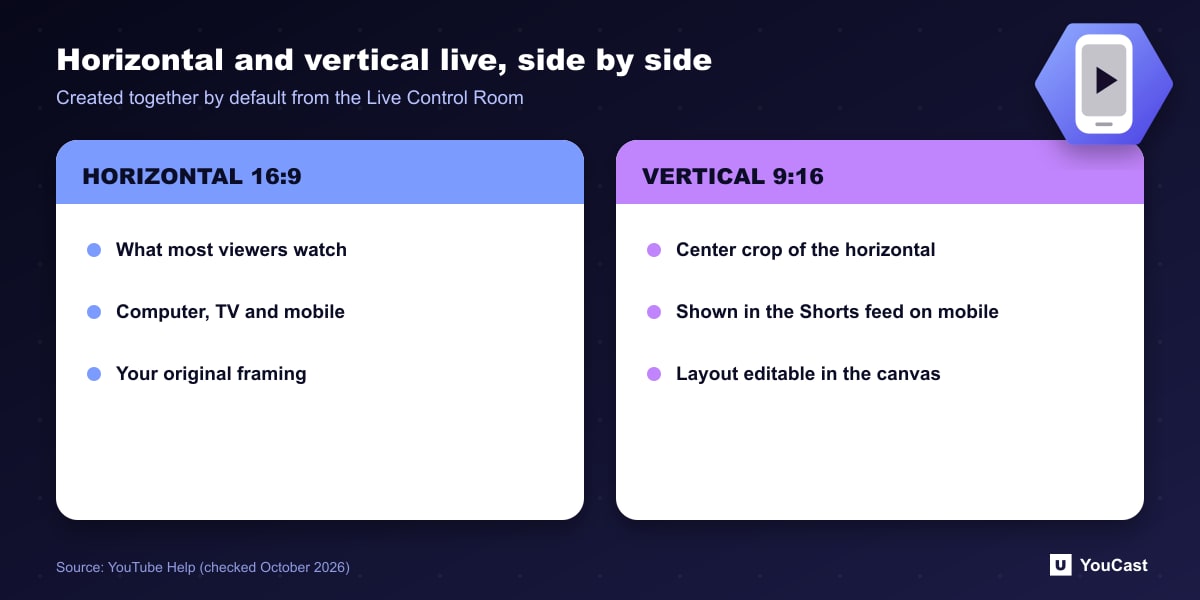
According to YouTube's live streaming help page, streams started from the Live Control Room go live in both horizontal (16:9) and vertical (9:16) formats at the same time by default. The vertical stream is a center crop of the horizontal one, with other vertical layout options available.
Viewers watching in the Shorts feed on the YouTube mobile app see the vertical version, and everyone else sees the horizontal one. Subscribers receive one go-live notification with a shared stream URL, and both versions share the same live chat.
What You Can Control
Metrics are combined for both streams during and after the broadcast. Metrics for just the vertical stream become available 24 hours after the stream, according to the help page.
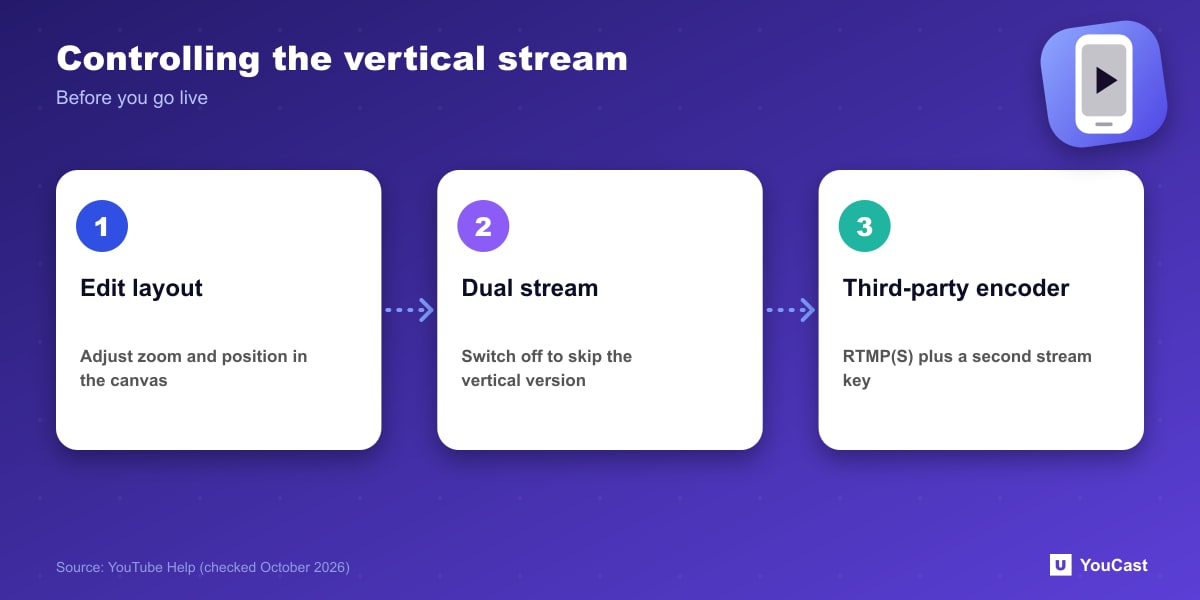
- Edit the vertical layout from the Manage tab of the Live Control Room, using the editing canvas to adjust zoom and position.
- Turn off Dual stream under Stream settings to stop a vertical stream being created.
- You cannot add the vertical format once the stream has started.
- With a third-party encoder, choose RTMP(S) and use a second stream key for the vertical stream, making sure the right format goes to each key.
What Vertical Viewers Get
YouTube says a vertical stream gives mobile viewers a full-screen experience with a scrollable feed of live streams, access to fan funding such as Super Chat, Super Stickers, memberships and gifts depending on eligibility, plus discovery in the Shorts feed.
A Note for Pre-Recorded Landscape Video
If you stream landscape video, the automatic vertical version is a center crop. That is our observation about how a center crop works, not a YouTube recommendation: check that titles, faces or on-screen text that sit at the edges of the frame are not cut off in the vertical version, and adjust the layout in the editing canvas or switch Dual stream off if it does not work for your content.
What It Means for a YouCast Channel
YouCast turns the videos you upload into a 24/7 live stream that runs from the cloud, to YouTube and, with a stream key, to Twitch, Kick and Instagram, so there is no encoder to configure, no computer to keep awake and no home upload line to saturate.
If you stream landscape video, check how the automatic vertical crop looks. YouCast sends a standard horizontal stream, so preview the vertical version on a phone and turn dual stream off in YouTube if it does not suit your footage.
You can try one stream on the free trial and add more streams as the channel grows.
Sources
- YouTube Help: Get started with live streaming — checked October 2026
Further reading
- YouTube Help: Choose live encoder settings, bitrates, and resolutions — The ingestion settings table
- YouTube Help: YouTube Partner Program overview & eligibility — Thresholds and benefits
- YouTube Help: YouTube channel monetization policies — What reviewers check
- YouTube Help: Advertiser-friendly content guidelines — What can earn ad revenue
Start Your 24/7 Stream Today
No PC needed. No OBS. Just upload your video and go live on YouTube — 24/7, from the cloud.