Twitch: Storage Depends on Status
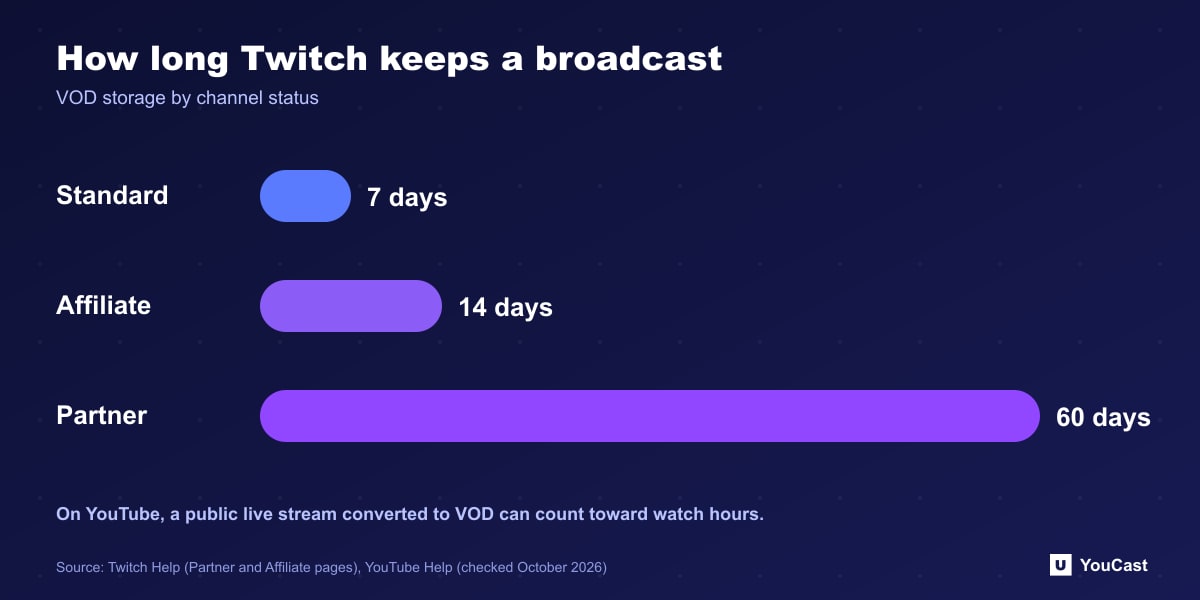
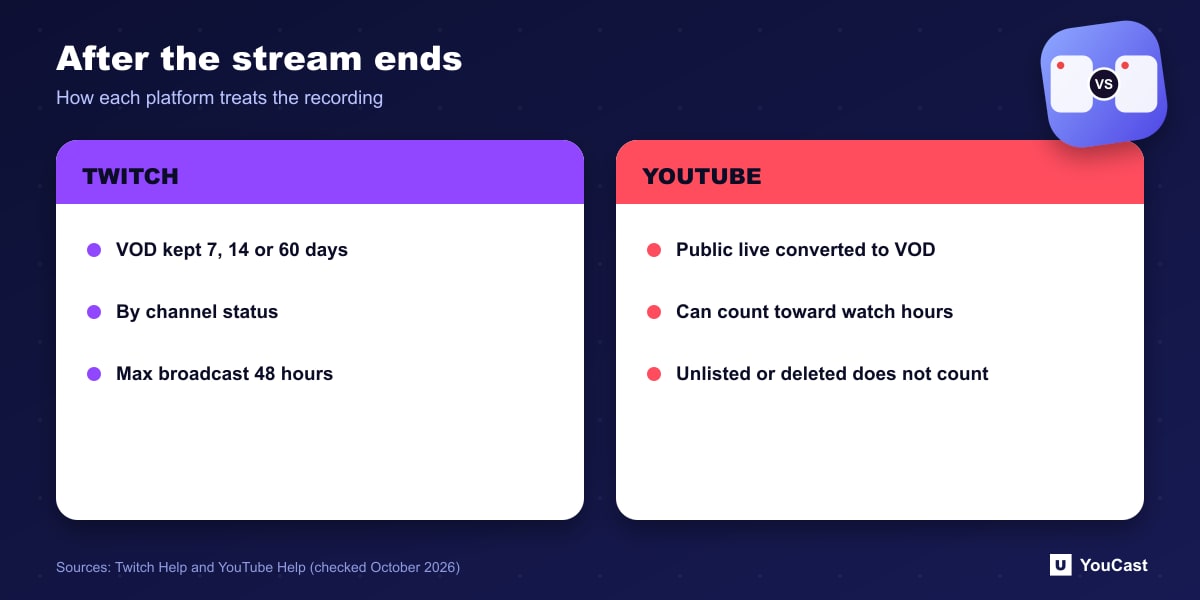
Twitch also states a maximum broadcast length of 48 hours, which it says cannot be changed.
- Standard channels: broadcasts stored for 7 days (formerly 14, changed on September 1, 2022 for channels that are not a Partner, Affiliate, Amazon Prime or Twitch Turbo user).
- Affiliates: extended VOD storage of 14 days instead of 7.
- Partners: VODs stored for 60 days.
YouTube: VOD Conversion and Watch Hours
YouTube's Partner Program page counts public long-form videos toward the 4,000 watch hour threshold and lists live streams that are unlisted, deleted, or not converted to VOD as not counting. So on YouTube the question is not how many days a stream is kept, but whether it is public and available as a video afterward.
We have not found a retention period for YouTube live archives in the pages we checked, so we do not state one.
Planning Around It
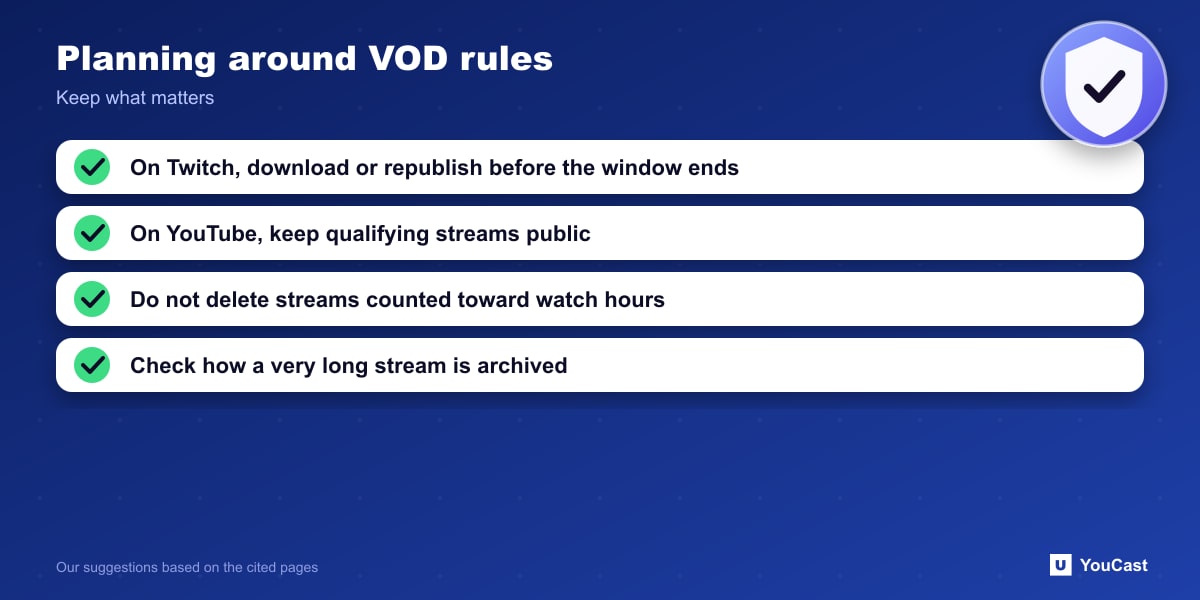
- On Twitch, download or republish anything you want to keep before the storage window ends.
- On YouTube, keep qualifying streams public and do not delete them if you are counting their watch hours.
- For a 24/7 stream, remember that a single very long broadcast is one VOD on YouTube; how it is archived is controlled in YouTube Studio.
Where YouCast Fits
YouCast turns the videos you upload into a 24/7 live stream that runs from the cloud, to YouTube and, with a stream key, to Twitch, Kick and Instagram, so there is no encoder to configure, no computer to keep awake and no home upload line to saturate.
YouCast keeps your source videos in your own storage plan, separate from broadcast archives, so a stream does not depend on how long a platform keeps its recordings.
You can try one stream on the free trial and add more streams as the channel grows.
Sources
- Twitch Help: Twitch Partner Program Overview — checked October 2026
- Twitch Help: Joining the Affiliate Program — checked October 2026
- YouTube Help: YouTube Partner Program overview & eligibility — checked October 2026
Further reading
- YouTube Help: Get started with live streaming — Official overview of live streaming on YouTube
- YouTube Help: Choose live encoder settings, bitrates, and resolutions — The ingestion settings table
- YouTube Help: YouTube channel monetization policies — What reviewers check
- YouTube Help: Advertiser-friendly content guidelines — What can earn ad revenue
Start Your 24/7 Stream Today
No PC needed. No OBS. Just upload your video and go live on YouTube — 24/7, from the cloud.