The Common Mix-Up
It is easy to read "4,000 watch hours" and think of a stream running for 4,000 hours. That is not what the number measures. A watch hour is an hour of viewing: it accumulates when people watch, so the total depends on how many viewers are watching and for how long.
A stream with nobody watching adds no watch hours, however long it has been live. The YouTube Partner Program page counts qualified watch hours in the last 12 months, and only for public long-form videos, which include live streams converted to VOD.
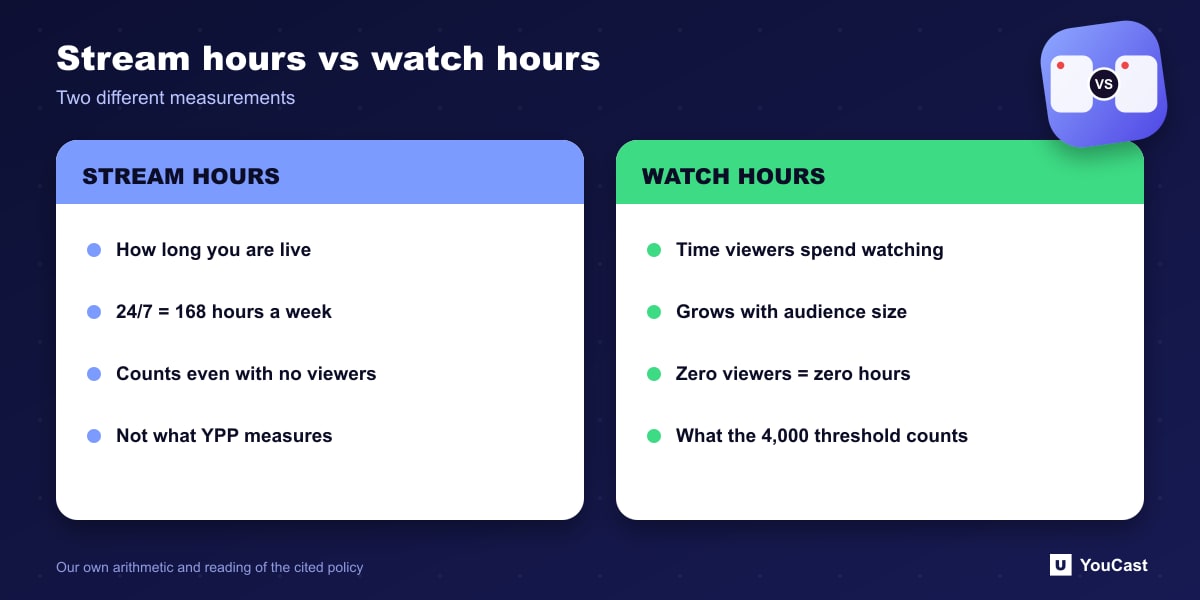
Claims that a 24/7 stream "generates 168 watch hours a week on its own" confuse hours streamed with hours watched. Treat any article that says so, including older material on this site, with caution.
A Worked Example With Made-Up Numbers
The figures below are illustrative assumptions, not predictions or averages. Watch hours equal the average number of viewers watching at the same time multiplied by the hours the stream is live.
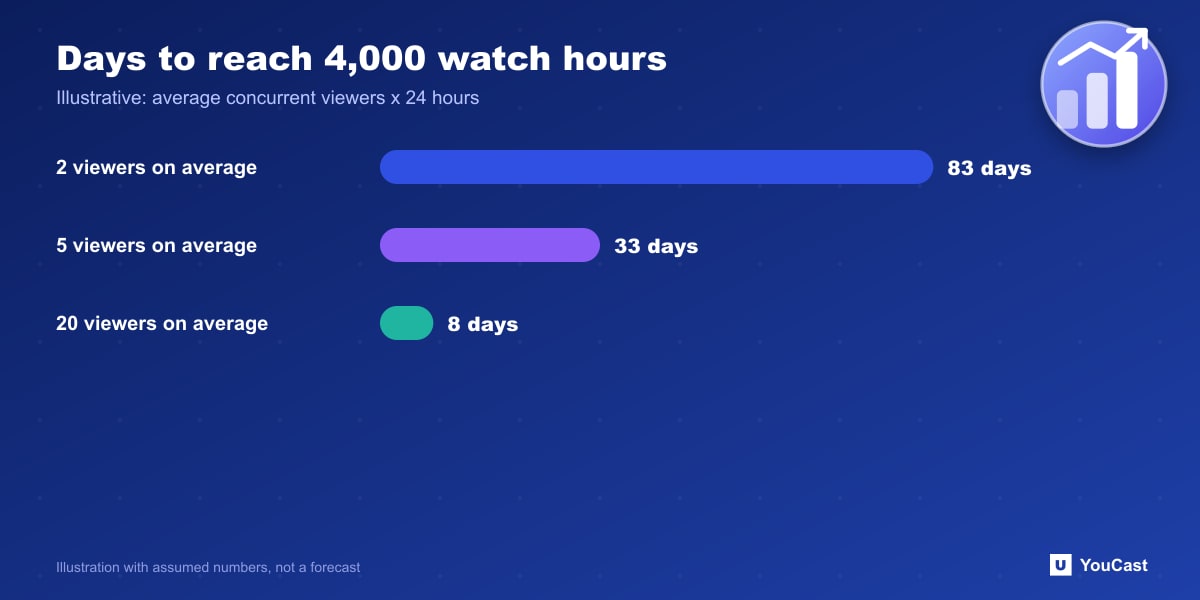
Check the arithmetic against your own analytics. Real audiences fluctuate by time of day, so the average over a week is more useful than a single peak.
- 2 viewers on average: 2 × 24 = 48 watch hours per day, so 4,000 hours takes about 83 days.
- 5 viewers on average: 5 × 24 = 120 watch hours per day, so 4,000 hours takes about 33 days.
- 20 viewers on average: 20 × 24 = 480 watch hours per day, so 4,000 hours takes about 9 days.
- The stream also has to be public and converted to VOD, and the channel still needs 1,000 subscribers.
What Actually Moves the Number
The lever is average concurrent viewers, and viewers come from discovery: titles and thumbnails that match what people search for, a stream that is online when they arrive, and content that gives them a reason to stay. That is why uptime, titles and a varied playlist matter more than the hours on the clock.
Where YouCast Fits in a Revenue Plan
YouCast turns the videos you upload into a 24/7 live stream that runs from the cloud, to YouTube and, with a stream key, to Twitch, Kick and Instagram, so there is no encoder to configure, no computer to keep awake and no home upload line to saturate.
Because watch hours measure viewing, the useful use of YouCast is to keep the stream public and online, then work on what brings viewers in. Check the number against your own YouTube Studio analytics.
You can try one stream on the free trial and add more streams as the channel grows.
Sources
- YouTube Help: YouTube Partner Program overview & eligibility — checked October 2026
Further reading
- YouTube Help: Get started with live streaming — Official overview of live streaming on YouTube
- YouTube Help: Choose live encoder settings, bitrates, and resolutions — The ingestion settings table
- YouTube Help: YouTube channel monetization policies — What reviewers check
- YouTube Help: Advertiser-friendly content guidelines — What can earn ad revenue
Start Your 24/7 Stream Today
No PC needed. No OBS. Just upload your video and go live on YouTube — 24/7, from the cloud.