The Official Numbers Side by Side
YouTube also lists lower recommended figures for AV1 and H.265: 12 Mbps for 1080p60 and 10 Mbps for 1080p30.
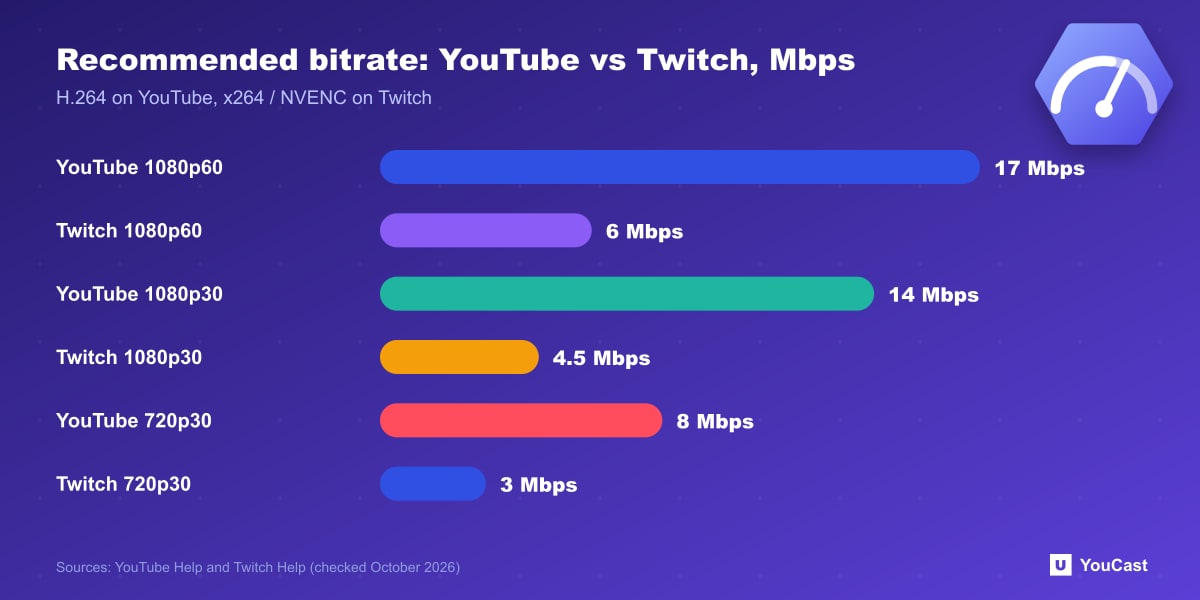
- 1080p at 60 fps: YouTube recommends 17 Mbps for H.264 (minimum 6). Twitch recommends 6 Mbps.
- 1080p at 30 fps: YouTube recommends 14 Mbps for H.264 (minimum 5). Twitch recommends 4.5 Mbps.
- 720p at 30 fps: YouTube recommends 8 Mbps for H.264 (minimum 3). Twitch recommends 3 Mbps.
- 720p at 60 fps: YouTube recommends 8 Mbps for H.264. Twitch recommends 4.5 Mbps.
What They Agree On
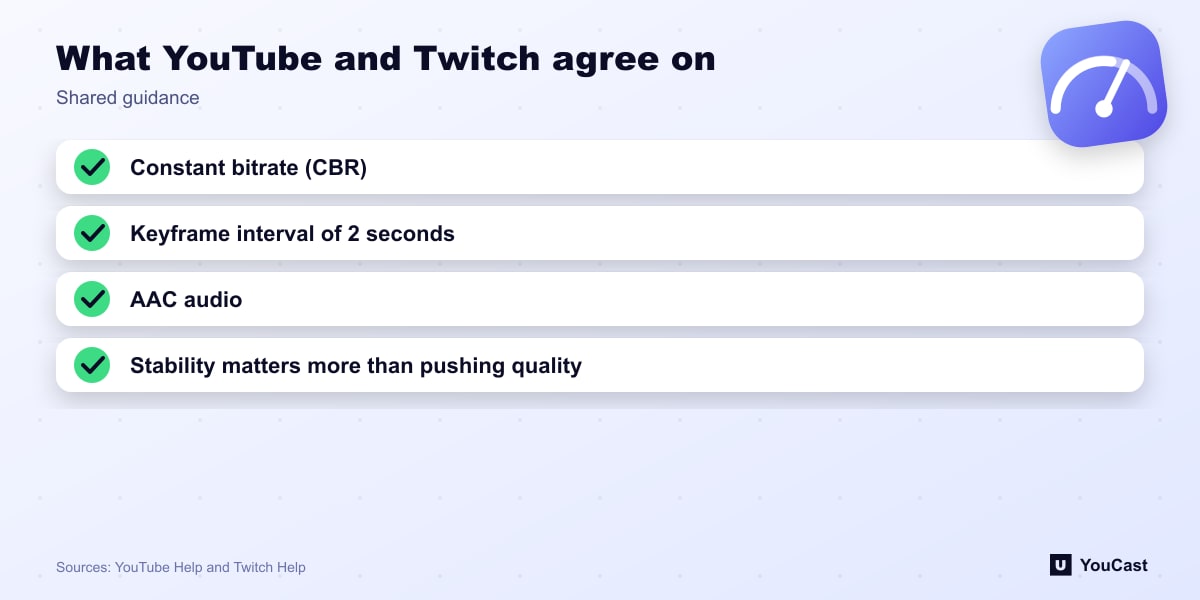
- Constant bitrate (CBR).
- A keyframe interval of 2 seconds.
- AAC audio.
- Stability matters more than pushing quality.
Where They Differ
YouTube's recommended bitrates are two to three times Twitch's for the same resolution, and YouTube supports 4K and newer codecs in its table. Twitch states an audio bitrate of 96 kbps recommended and 160 kbps maximum, against 128 kbps recommended for stereo on YouTube.
We do not claim to know why the platforms chose different numbers. They are separate recommendations from separate services, written for their own infrastructure.
If You Stream to Both
Sending one stream to both platforms means picking a single bitrate. The lower of the two recommended figures is within both platforms' guidance, though a very high bitrate to Twitch is outside its recommendation. Check each platform's guidance for your own setup.
Where YouCast Fits
YouCast turns the videos you upload into a 24/7 live stream that runs from the cloud, to YouTube and, with a stream key, to Twitch, Kick and Instagram, so there is no encoder to configure, no computer to keep awake and no home upload line to saturate.
Whichever platform you pick, YouCast takes the bitrate question off your desk: you upload the video, choose the stream quality and connect a channel or a stream key.
You can try one stream on the free trial and add more streams as the channel grows.
Sources
- YouTube Help: Choose live encoder settings, bitrates, and resolutions — checked October 2026
- Twitch Help: Broadcasting Guidelines — checked October 2026
Further reading
- YouTube Help: Get started with live streaming — Official overview of live streaming on YouTube
- YouTube Help: YouTube Partner Program overview & eligibility — Thresholds and benefits
- YouTube Help: YouTube channel monetization policies — What reviewers check
- YouTube Help: Advertiser-friendly content guidelines — What can earn ad revenue
Start Your 24/7 Stream Today
No PC needed. No OBS. Just upload your video and go live on YouTube — 24/7, from the cloud.