In short
YouTube calls its Audio Library music copyright-safe and not claimed through Content ID. The article covers the Creative Commons credit rule, what the library does not cover and the limits to check before using a track on a 24/7 stream.
What the Audio Library Is
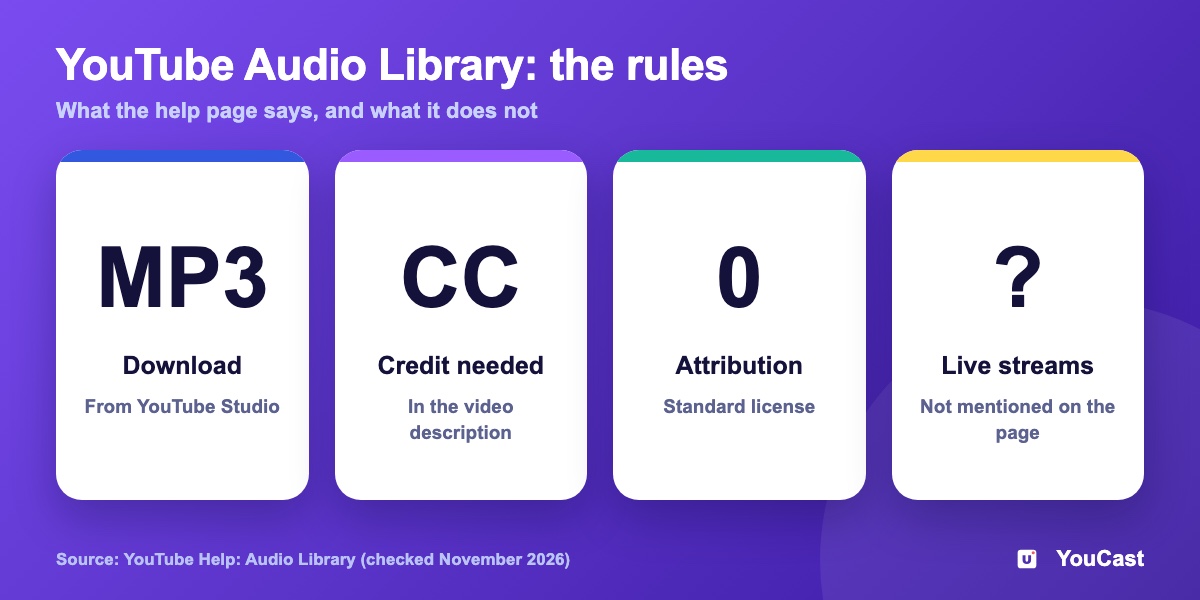
The Audio Library lives in YouTube Studio and offers royalty-free production music and sound effects for your videos. You can preview tracks, filter them and download them as MP3 files. YouTube says new music arrives about twice a month.
License and Credit
- YouTube describes Audio Library music and sound effects as copyright-safe.
- Tracks under the standard YouTube Audio Library license need no attribution. You can filter for them.
- Tracks under a Creative Commons license must be credited in the video's description. YouTube can generate the credit text for you.
- Partner Program members can monetize videos that use Audio Library music and sound effects.
- Downloaded tracks will not be claimed through Content ID by a rights holder, YouTube says.
What It Does Not Cover
- The page says nothing about live streams, so we do not state that live streams are covered.
- YouTube's guarantee covers the Audio Library only, not music from other libraries or channels that is called royalty-free.
- YouTube cannot give legal advice and suggests asking a qualified lawyer about music rights.
What We Suggest for a 24/7 Stream
Keep a list of every track in your playlist with its license and the date you checked it. If a claim or a question from YouTube arrives while the stream is running, you can answer it from the list. This is our suggestion, not a YouTube requirement.
How Content ID Claims Work: What Streamers Should Know
What a claim means for a stream.
Copyright on YouTube Live: Placeholder Images, Warnings and Interruptions
What happens during a live copyright match.
The Complete Lofi Stream Setup Guide: Music, Visuals & First 10K Viewers
A music-led 24/7 stream.
Start Streaming with YouCast
Upload your videos once and stream them 24/7 from the cloud.
Frequently asked questions
Is YouTube Audio Library music safe from Content ID claims?
YouTube calls the music copyright-safe and not claimed through Content ID.
Do I need to credit the artist?
Some tracks are under Creative Commons licences that require credit; the article explains the credit rule.
Does the Audio Library cover everything a 24/7 stream needs?
Not necessarily. The article has a section on what the library does not cover and the limits for 24/7 streams, so read it before putting a track on a loop.
Build It in YouCast
YouCast turns the videos you upload into a 24/7 live stream that runs from the cloud, to YouTube and, with a stream key, to Twitch, Kick and Instagram, so there is no encoder to configure, no computer to keep awake and no home upload line to saturate.
YouCast streams the videos you upload, so the music inside them is your responsibility. Keep a license note for every track before you upload.
You can try one stream on the free trial and add more streams as the channel grows.
Sources
- YouTube Help: Audio Library — checked November 2026
Further reading
- YouTube Help: Get started with live streaming — Official overview of live streaming on YouTube
- YouTube Help: Choose live encoder settings, bitrates, and resolutions — The ingestion settings table
- YouTube Help: YouTube Partner Program overview & eligibility — Thresholds and benefits
- YouTube Help: YouTube channel monetization policies — What reviewers check
Start Your 24/7 Stream Today
No PC needed. No OBS. Just upload your video and go live on YouTube — 24/7, from the cloud.