The Calculation
Data sent equals bitrate multiplied by time. At a constant bitrate (YouTube recommends CBR), one megabit per second is 0.125 megabytes per second, which is 10.8 gigabytes per day (decimal units, 86,400 seconds in a day).
The bitrates below are the "recommended" figures from YouTube's encoder guidance. This is our arithmetic on those figures, not a YouTube statement, and it ignores audio and protocol overhead, so the real totals are slightly higher.
The Results
Many home internet plans have data caps, and the upload side is usually slower than the download side. A stream also needs headroom: the connection must sustain the bitrate continuously, not just on average.
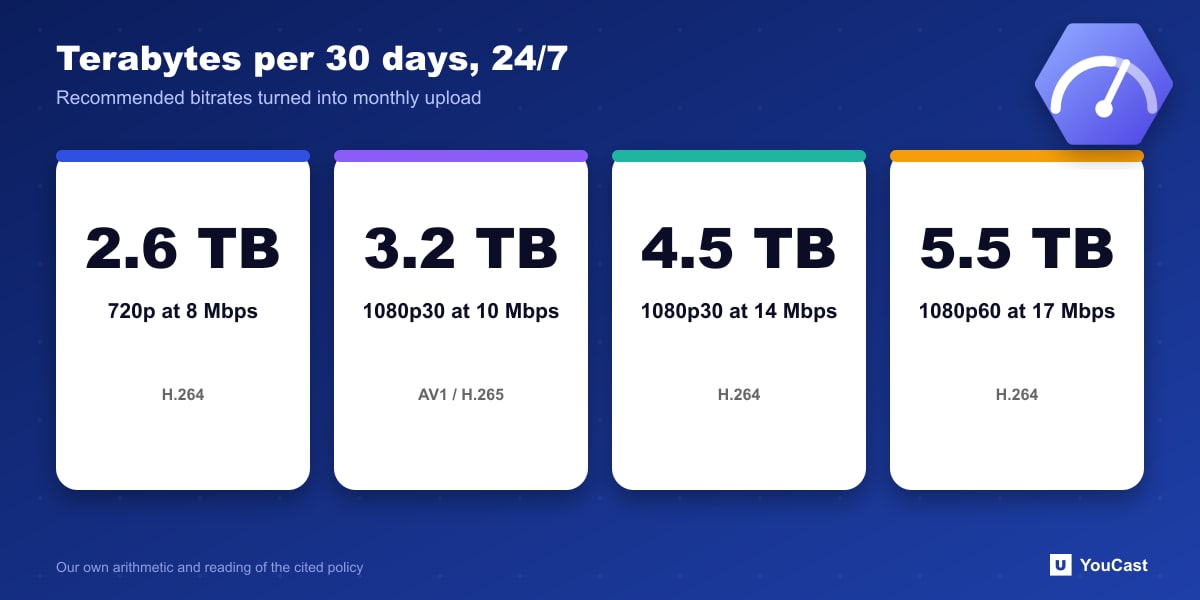
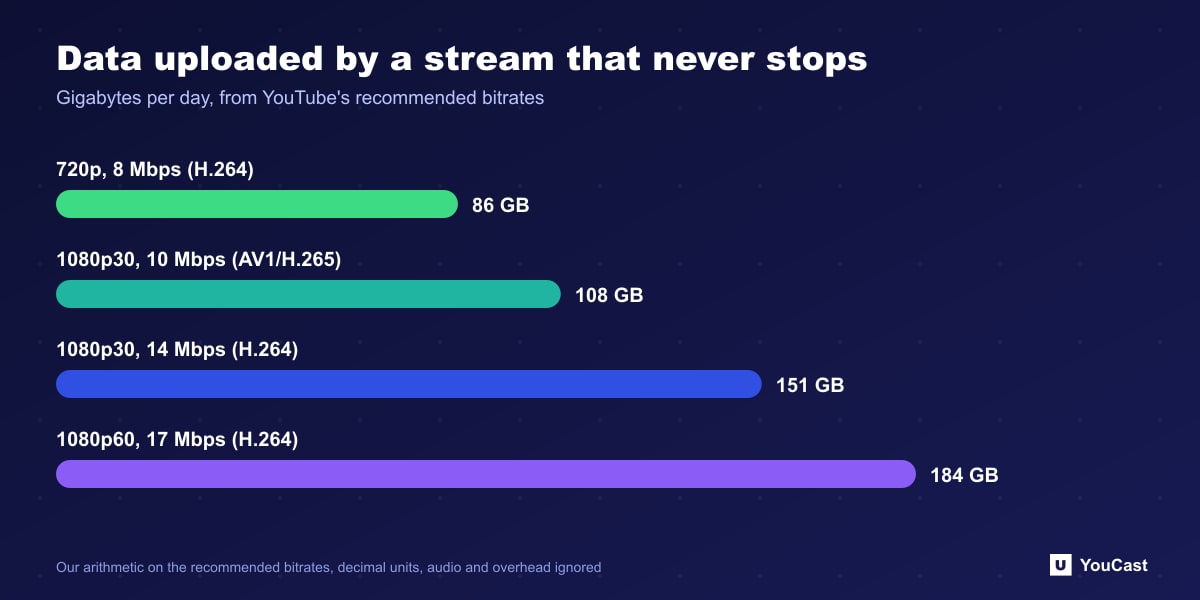
- 720p, 8 Mbps (H.264): about 86 GB per day, around 2.6 TB per 30 days.
- 1080p at 30 fps, 14 Mbps (H.264): about 151 GB per day, around 4.5 TB per 30 days.
- 1080p at 30 fps, 10 Mbps (AV1 or H.265): about 108 GB per day, around 3.2 TB per 30 days.
- 1080p at 60 fps, 17 Mbps (H.264): about 184 GB per day, around 5.5 TB per 30 days.
What This Means for 24/7
Streaming from a home computer around the clock means a continuous upload of that size, a machine that never sleeps, and a connection that never drops. A cloud service moves the encoding and the upload to a data center, so none of that traffic goes through your own line.
Whichever route you take, a lower bitrate with a newer codec is a legitimate way to reduce the load, as YouTube's own table shows.
Let the Cloud Handle the Encoding
YouCast turns the videos you upload into a 24/7 live stream that runs from the cloud, to YouTube and, with a stream key, to Twitch, Kick and Instagram, so there is no encoder to configure, no computer to keep awake and no home upload line to saturate.
The data figures above are what a home line would have to carry. With a cloud stream the encoding and upload happen in a data center, so none of it goes through your own connection.
You can try one stream on the free trial and add more streams as the channel grows.
Sources
- YouTube Help: Choose live encoder settings, bitrates, and resolutions — checked October 2026
Further reading
- YouTube Help: Get started with live streaming — Official overview of live streaming on YouTube
- YouTube Help: YouTube Partner Program overview & eligibility — Thresholds and benefits
- YouTube Help: YouTube channel monetization policies — What reviewers check
- YouTube Help: Advertiser-friendly content guidelines — What can earn ad revenue
Start Your 24/7 Stream Today
No PC needed. No OBS. Just upload your video and go live on YouTube — 24/7, from the cloud.