Ads Inside the Video Player
YouTube says it simplified the choices: when you turn on ads for new long-form videos, viewers see pre-roll, post-roll, skippable or non-skippable ads when appropriate. The formats it describes:
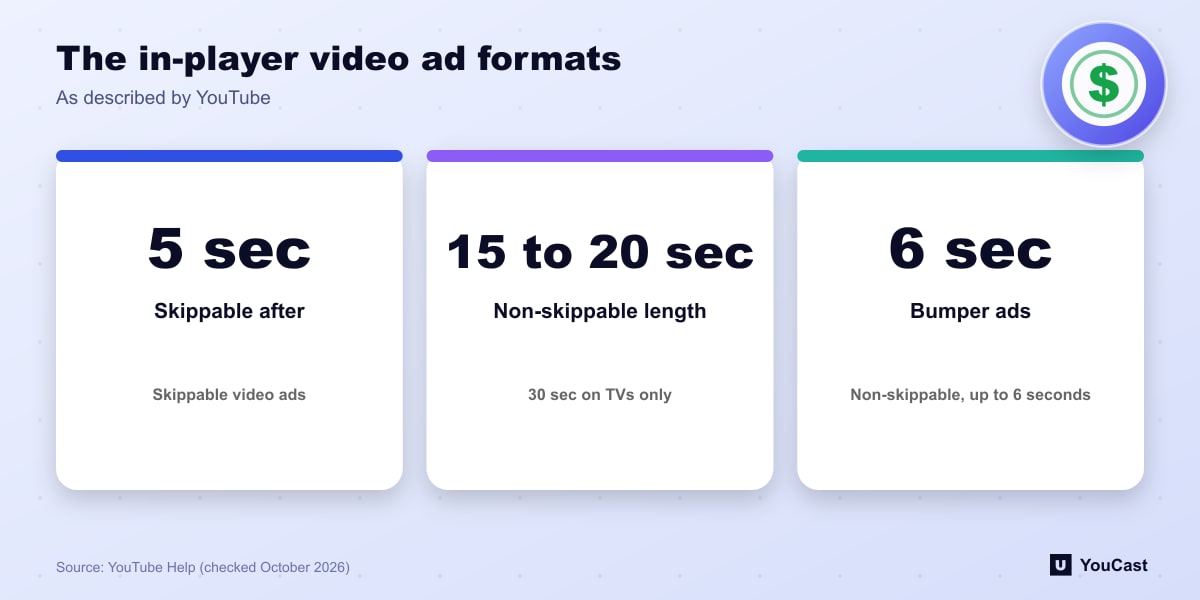
- Skippable video ads: viewers can skip after 5 seconds.
- Non-skippable video ads: must be watched before the video, 15 or 20 seconds depending on regional standards (up to 30 seconds on TVs only).
- Bumper ads: non-skippable and up to 6 seconds, turned on when skippable or non-skippable ads are on.
Mid-Rolls, Pods and Overlay Ads
Mid-roll ads can be turned on for videos longer than 8 minutes, with breaks placed manually or automatically. Back-to-back ads, called ad pods, can occur on long-form videos of at least 5 minutes. YouTube stopped running overlay ads, a legacy desktop-only format, starting April 6, 2023.
Outside the player there are watch feed ads, subscriptions feed ads and Watch While ads. Watch While ads serve on monetizing videos that are not eligible for mid-rolls, and viewers can close them or let them auto-dismiss after 30 seconds. These cannot be controlled from YouTube Studio.
What Applies to Live Streams
In YouTube's horizontal versus vertical live comparison, horizontal live streams support live ad mid-rolls and pre-rolls, while the vertical live feed does not. In Go Live Together streams, pre-roll, mid-roll and post-roll ads appear and are attributed to the host channel.
YouTube's live-streaming page also says creators can run live ads manually or let YouTube insert them automatically.
What This Means for 24/7 Channels
Our reading: the formats your viewers see depend on the video type, so a long-running horizontal stream is the format with the widest ad support, while a vertical feed trades ads for discoverability in the Shorts feed. Ad suitability and policy checks still decide whether ads run at all.
Where YouCast Fits in a Revenue Plan
YouCast turns the videos you upload into a 24/7 live stream that runs from the cloud, to YouTube and, with a stream key, to Twitch, Kick and Instagram, so there is no encoder to configure, no computer to keep awake and no home upload line to saturate.
Ads apply to a monetized channel's live stream like any other video. YouCast keeps a long-running horizontal stream online, which is the format with the widest ad support.
You can try one stream on the free trial and add more streams as the channel grows.
Sources
- YouTube Help: YouTube advertising formats — checked October 2026
- YouTube Help: Get started with live streaming — checked October 2026
- YouTube Help: Invite a guest to your live stream with Go Live Together — checked October 2026
- YouTube Help: Why choose Live — checked October 2026
Further reading
- YouTube Help: Choose live encoder settings, bitrates, and resolutions — The ingestion settings table
- YouTube Help: YouTube Partner Program overview & eligibility — Thresholds and benefits
- YouTube Help: YouTube channel monetization policies — What reviewers check
- YouTube Help: Advertiser-friendly content guidelines — What can earn ad revenue
Start Your 24/7 Stream Today
No PC needed. No OBS. Just upload your video and go live on YouTube — 24/7, from the cloud.