What an Age Restriction Is
YouTube places an age restriction when content does not violate the Community Guidelines but may be incompatible with the Terms of Service or inappropriate for viewers under 18. The policy applies to videos, descriptions, custom thumbnails and live streams.
The page notes that your made for kids settings do not affect age restrictions on your videos.
Themes That Can Trigger It
- Child safety: adults in dangerous activities minors could imitate, or adult content that could be confused with family content.
- Harmful or dangerous activities, including regulated substances and drugs.
- Nudity and sexually suggestive content.
- Violent or graphic content, such as focusing solely on the most graphic part of a film or video game.
- Vulgar language, such as heavy profanity in the title, thumbnail or metadata.
What Changes for the Stream
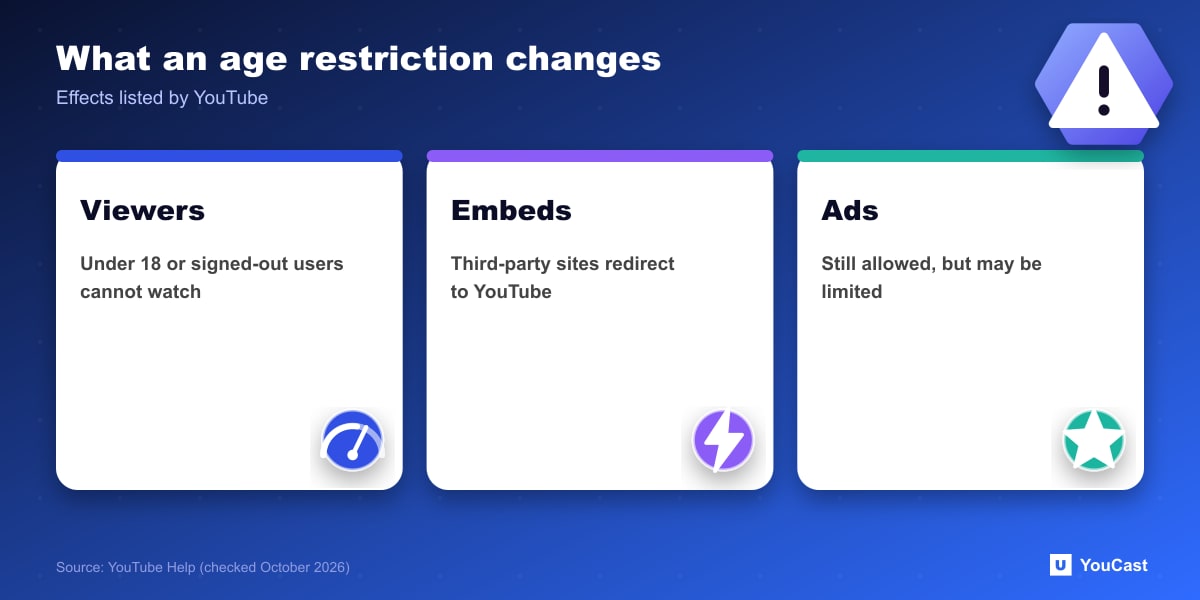
- Not viewable to users under 18 or signed out.
- Cannot be watched on most third-party websites: viewers are sent to YouTube, where they must sign in and be over 18. This also affects embedded live streams on your site.
- Can still use ads, but some advertisers prefer family-friendly content, so monetization may be limited or absent.
How to Check and Appeal
Use the Age-Restriction filter in YouTube Studio, or look for Viewable by 18+ under Notices on the Content page. If you believe YouTube made a mistake, you can appeal the restriction. YouTube also warns that its systems are constantly updated, so your rating can change.
Keeping a YouCast Stream Compliant
YouCast turns the videos you upload into a 24/7 live stream that runs from the cloud, to YouTube and, with a stream key, to Twitch, Kick and Instagram, so there is no encoder to configure, no computer to keep awake and no home upload line to saturate.
A restriction applies to the stream on YouTube whatever tool sends it. Review the videos in your YouCast playlist against the themes above before you stream them.
You can try one stream on the free trial and add more streams as the channel grows.
Sources
- YouTube Help: Age-restricted content — checked October 2026
Further reading
- YouTube Help: Get started with live streaming — Official overview of live streaming on YouTube
- YouTube Help: Choose live encoder settings, bitrates, and resolutions — The ingestion settings table
- YouTube Help: YouTube Partner Program overview & eligibility — Thresholds and benefits
- YouTube Help: YouTube channel monetization policies — What reviewers check
Start Your 24/7 Stream Today
No PC needed. No OBS. Just upload your video and go live on YouTube — 24/7, from the cloud.