The Honest Reality: What 24/7 Streaming Can (and Can't) Do
24/7 streaming is genuinely one of the fastest growth mechanisms available to new YouTube channels in 2025 — but it's not magic. The typical growth timeline: 0-500 subscribers in month 1, 500-2,000 in month 2, 2,000-10,000 in months 3-6.
The channels that grow fastest aren't the ones with the most views — they're the ones with the highest watch time per session.
A stream with 50 viewers watching for 3 hours generates more algorithmic momentum than 500 viewers watching for 5 minutes. Retention quality always beats raw traffic quantity.
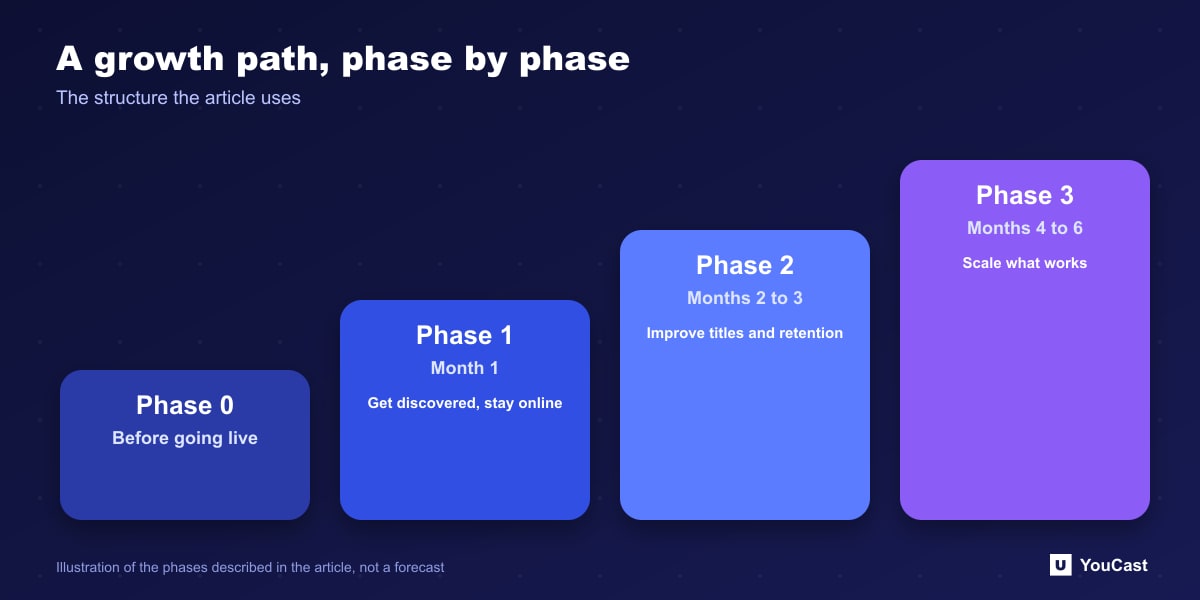
Phase 0 (Before You Go Live): The Setup That Determines Everything
Most creators rush to go live. The ones who grow fastest spend 1-2 weeks on pre-launch preparation:
- 1Niche research: search your target keywords on YouTube. Count the active live streams. Under 10 = opportunity.
- 2Channel branding: professional banner, profile picture, and channel description.
- 3Content preparation: produce 60+ minutes of high-quality loopable content.
- 4Thumbnail design: create a template system you can iterate quickly.
- 5Description template: write a 400-500 word stream description with your target keywords.
Phase 1 (Month 1): Getting Your First 500 Subscribers
Month 1 is about establishing the algorithmic baseline. Your goal isn't to go viral — it's to signal consistently what your channel is about.
Target 1,000 watch hours in your first month. With 24/7 streaming and even 3-5 concurrent viewers, this is achievable in 2-3 weeks.
- Launch on Tuesday or Wednesday at 8-10 AM EST (peak YouTube activity globally)
- Pin a comment with your channel's playlist and stream description
- Share in 2-3 relevant Reddit communities — genuine posts, not spam
- Respond to every comment for the first 30 days
- Set up a consistent stream title format
Phase 2 (Months 2-3): Scaling from 500 to 2,000 Subscribers
By month 2, double down on what's working:
- Analyze YouTube Studio data weekly: which hours have the most concurrent viewers?
- Create 2-3 short clips from stream highlights and post as YouTube Shorts
- Update your thumbnail — CTR data after 4 weeks reveals what works
- Consider adding a second stream variant targeting different search queries
Phase 3 (Months 4-6): The Path to 10,000 Subscribers
This is where compounding kicks in. The algorithm now has months of clean data about your audience.
At this stage, your primary growth levers shift from external promotion to internal optimization.
Channels using YouCast's multi-stream feature reach 10K significantly faster by diversifying keyword coverage across several niches simultaneously.
- Launch a second stream targeting a related keyword
- Apply for YouTube Partner Program as soon as you qualify
- Create a playlist of your stream replays — they continue accumulating watch time
- Collaborate with creators at your size — cross-promotion is most effective between similar channels
Run the Stream, Spend Time on Growth
YouCast turns the videos you upload into a 24/7 live stream that runs from the cloud, to YouTube and, with a stream key, to Twitch, Kick and Instagram, so there is no encoder to configure, no computer to keep awake and no home upload line to saturate.
Treat YouCast as the engine room of the plan: the stream stays up while your hours go into titles, thumbnails, community posts and new content.
You can try one stream on the free trial and add more streams as the channel grows.
Further reading
- YouTube Help: Get started with live streaming — Official overview of live streaming on YouTube
- YouTube Help: Choose live encoder settings, bitrates, and resolutions — The ingestion settings table
- YouTube Help: YouTube Partner Program overview & eligibility — Thresholds and benefits
- YouTube Help: YouTube channel monetization policies — What reviewers check
Start Your 24/7 Stream Today
No PC needed. No OBS. Just upload your video and go live on YouTube — 24/7, from the cloud.